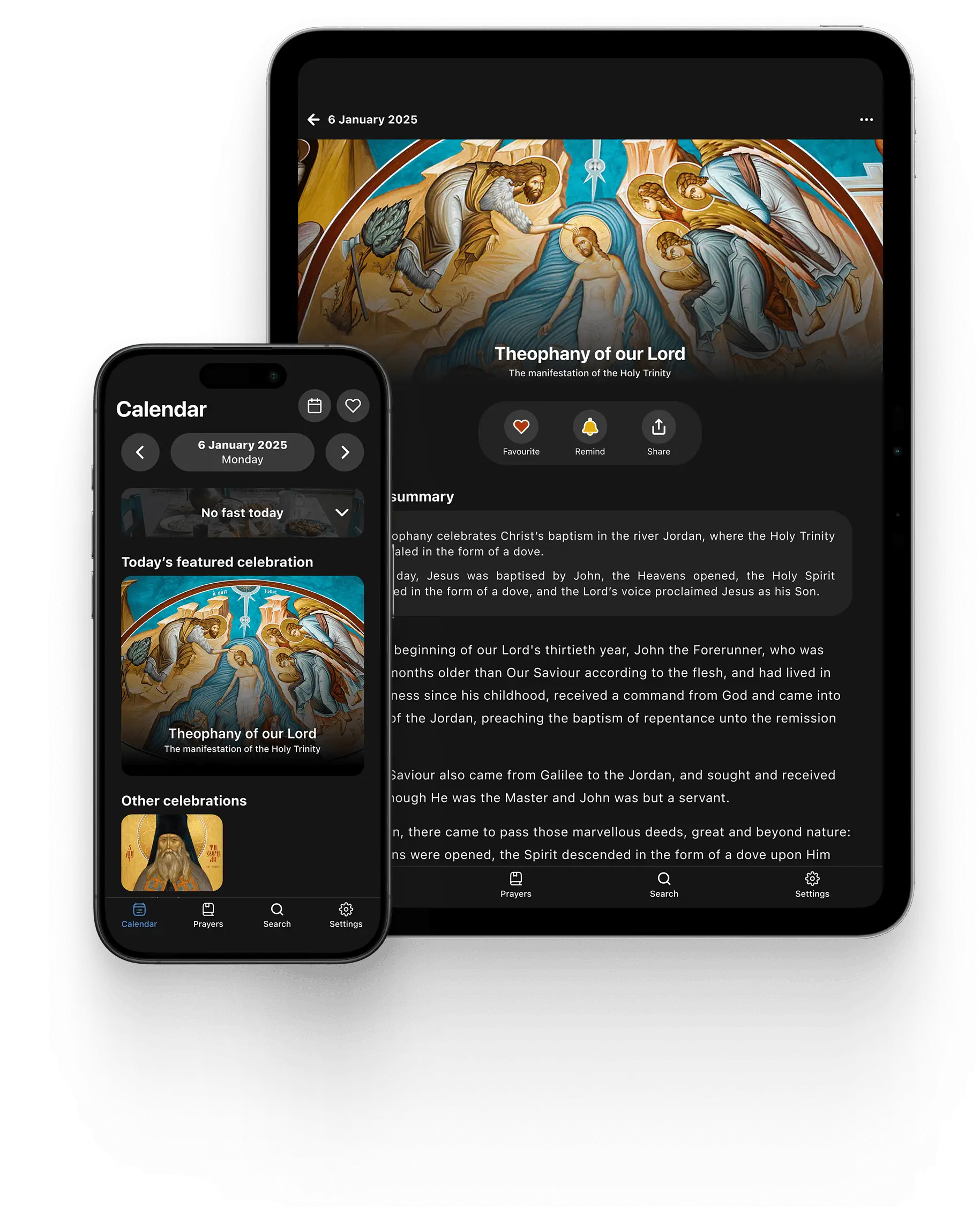
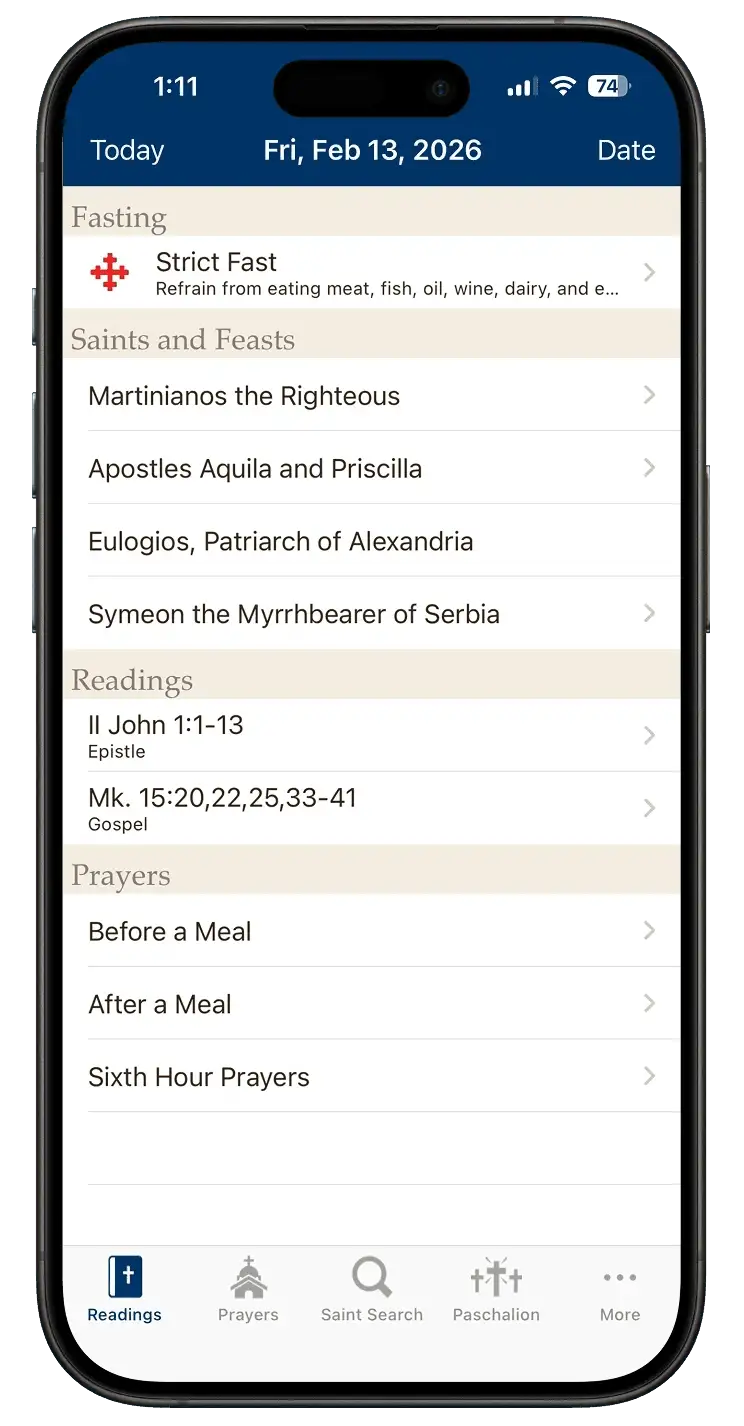
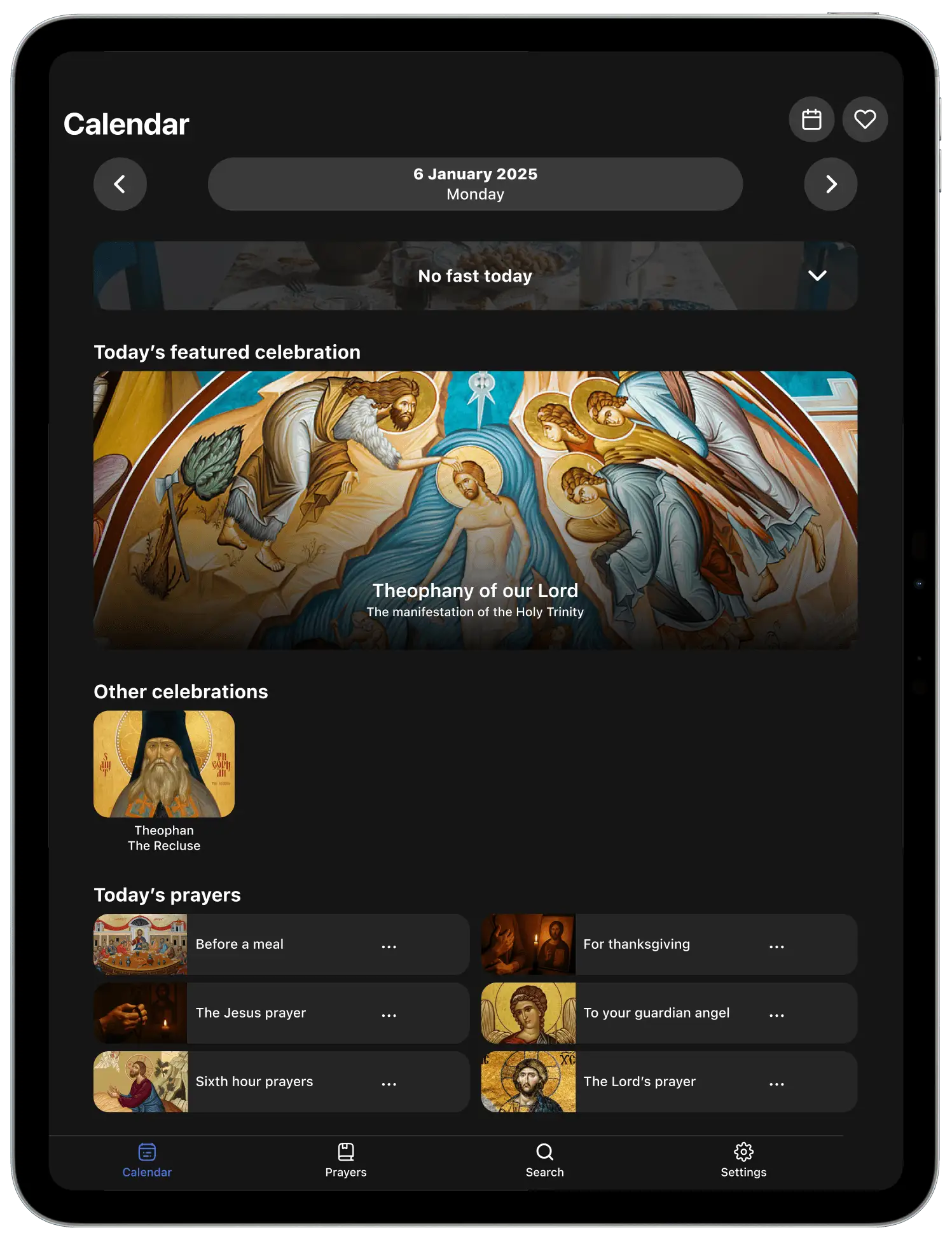
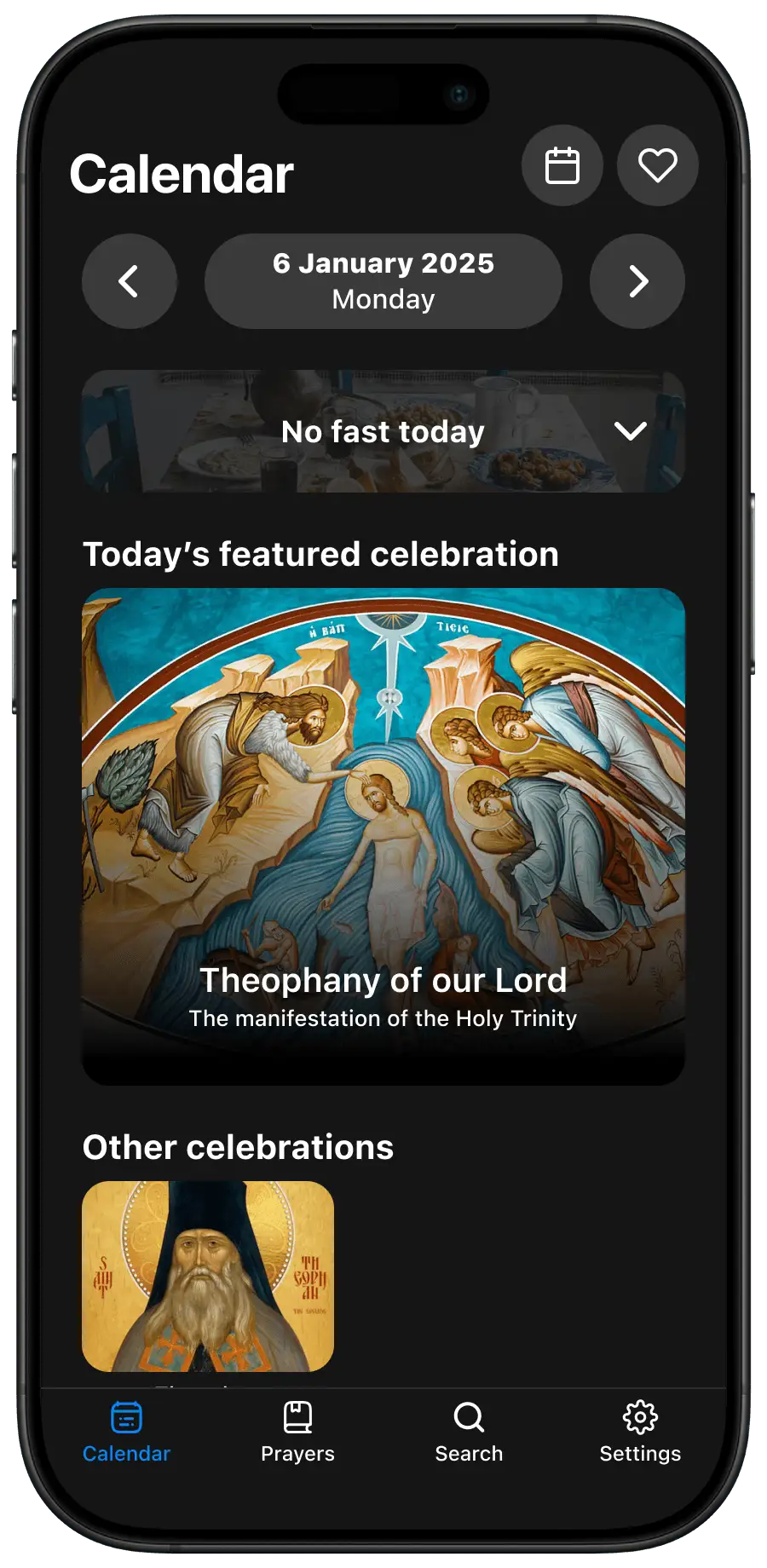
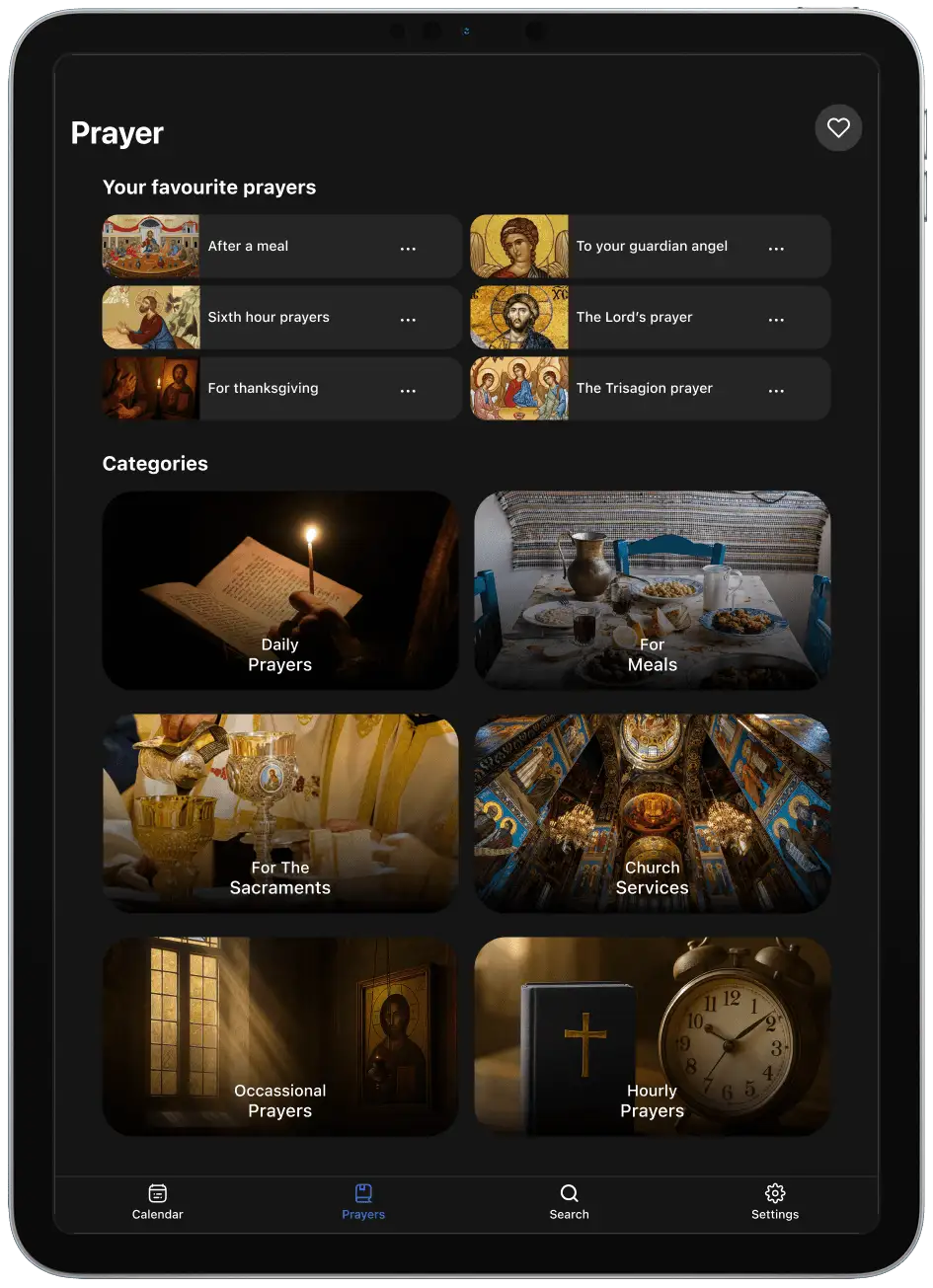
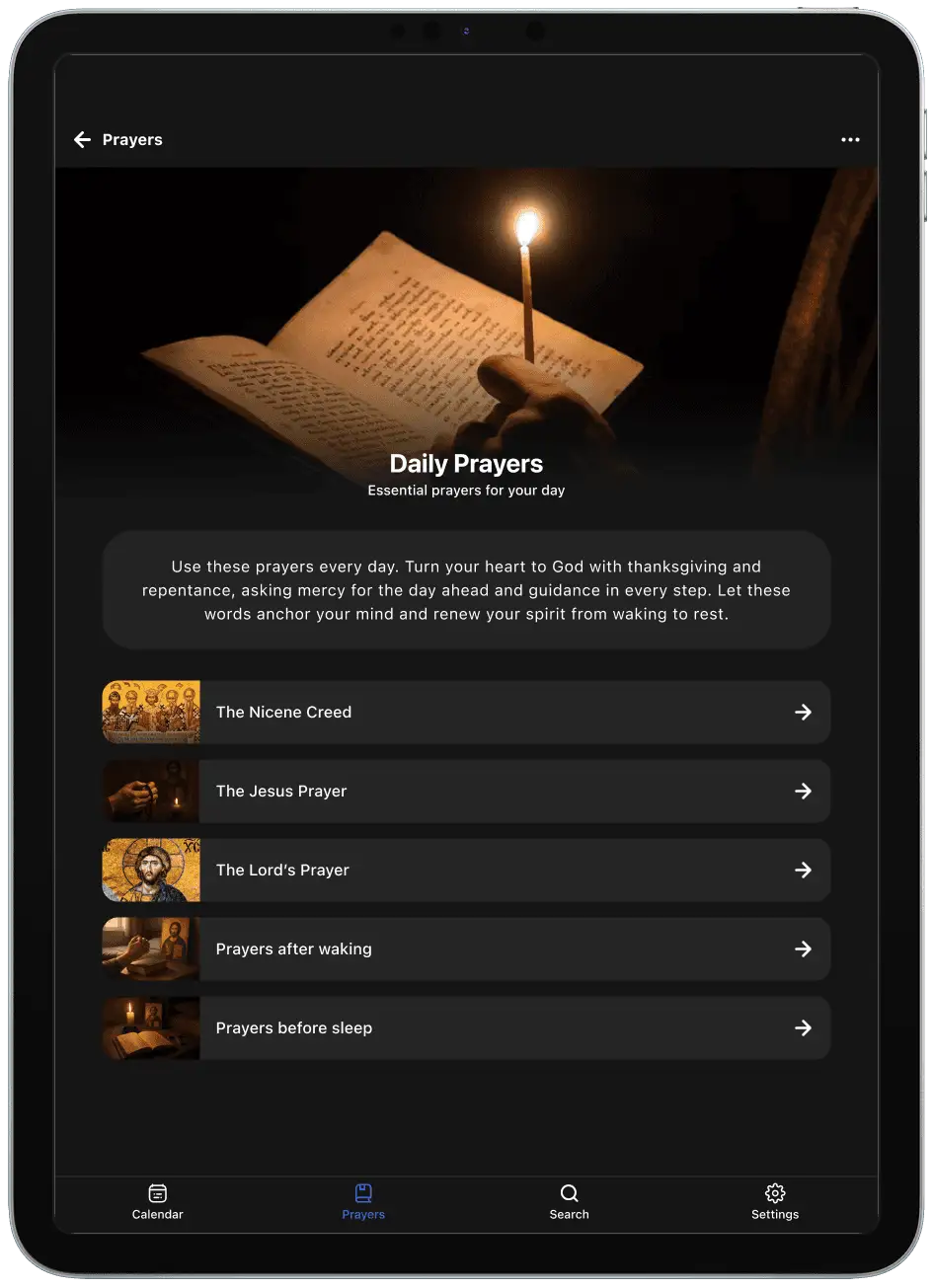
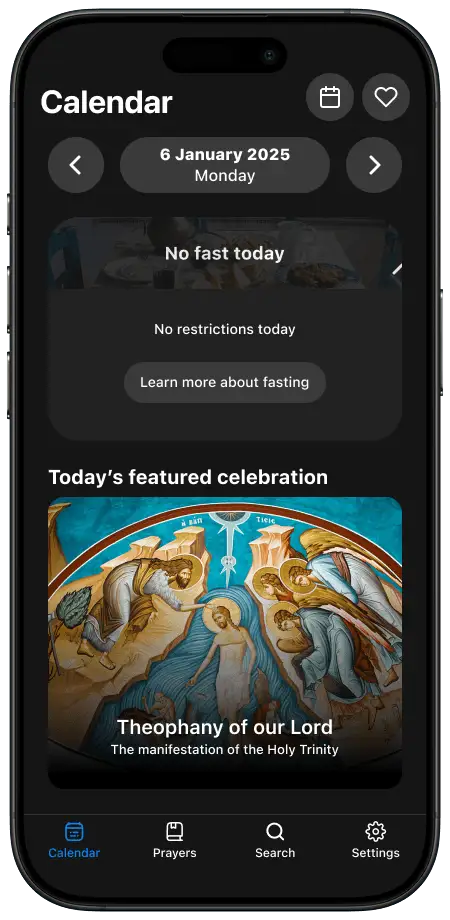
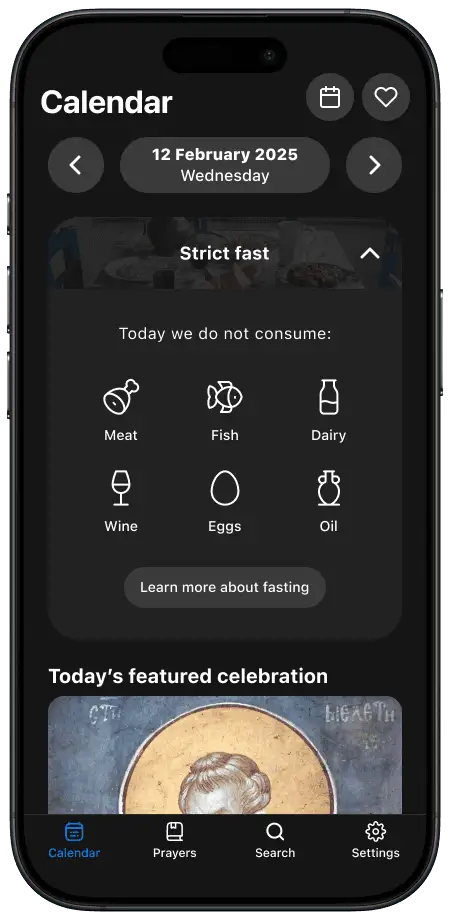
Daily Readings is an iOS app that helps Orthodox Christians navigate their faith through features such as a liturgical calendar, daily scripture readings, and prayers. For a university assessment, I redesigned the app end-to-end to improve clarity, navigation, and accessibility.
Responsibilities
User research
Personas
Prototyping
Information architecture
Usability testing
Journey mapping
Timeframe
8 weeks (2025)
Platform
iPhone
iPad
Tools
Figma
Dovetail
Microsoft Teams
The brief
This project was completed as part of a university assignment, with the following brief:
"Conceptualise a multi-platform design solution addressing an identified evidence-based problem."
The problem space
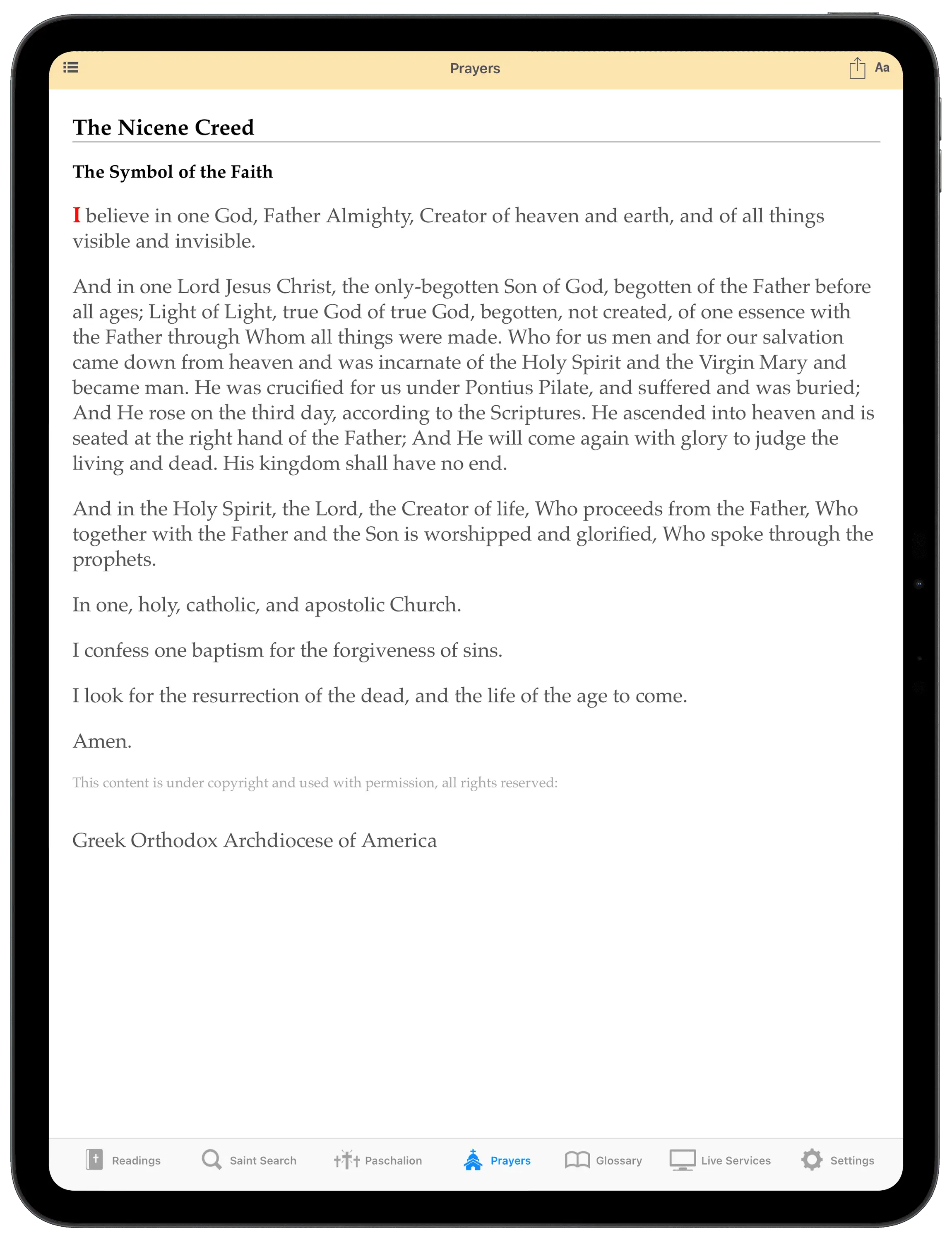
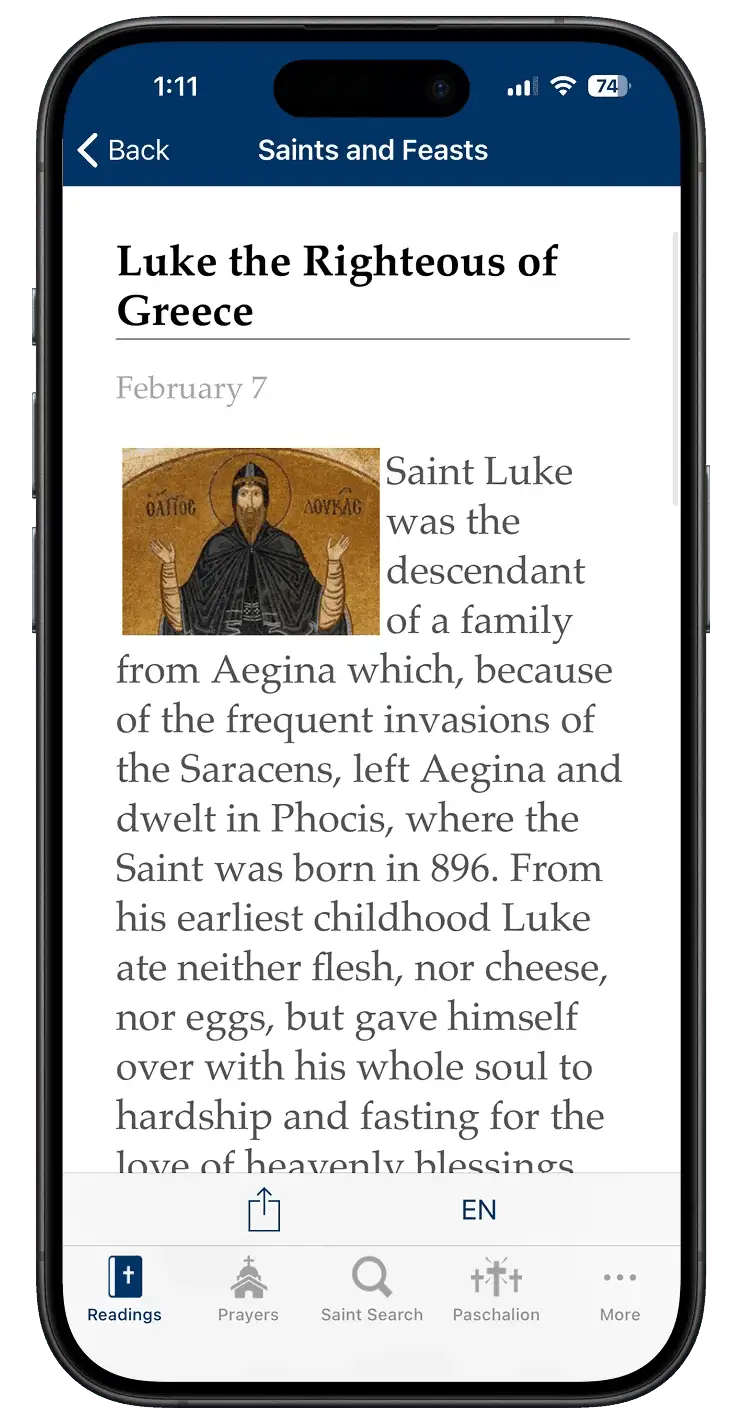
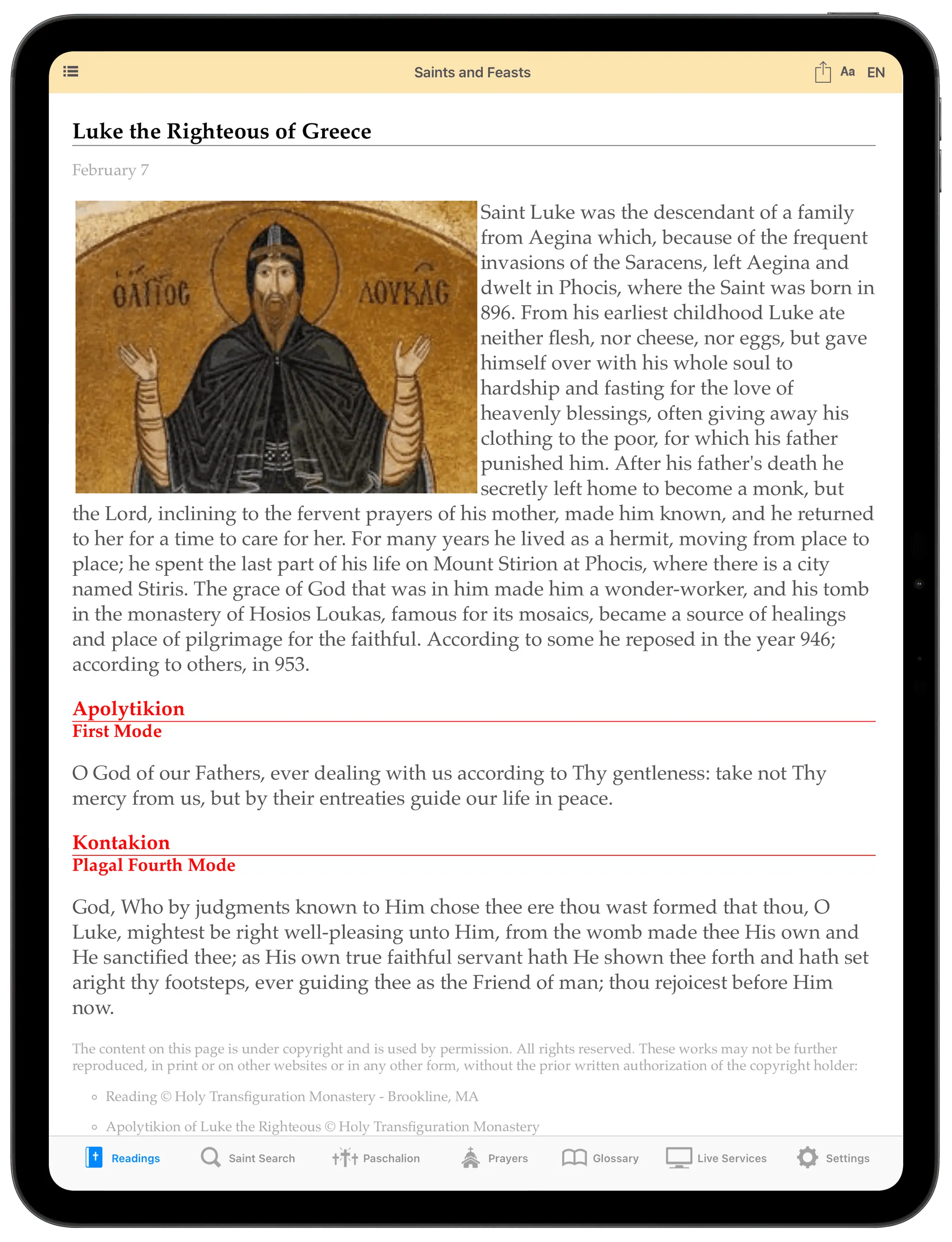
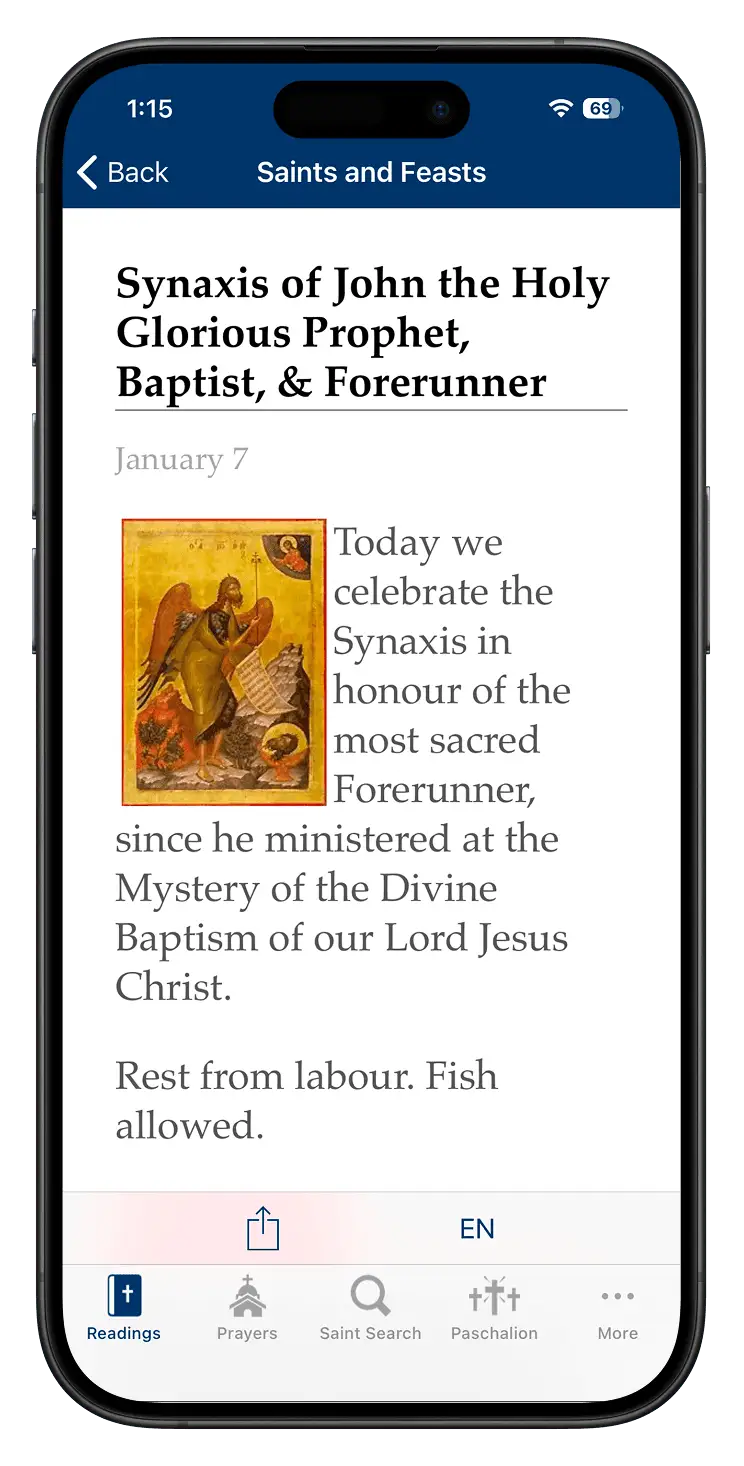
Orthodox Christians often use a mix of physical (prayer books, calendars, etc) and digital resources (e.g Google, apps, etc) to navigate the traditions of their faith. One of these resources is the Daily Readings app, which supports them by offering features such as a liturgical calendar, daily scripture readings, prayers, and fasting guidelines.
Liturgical calendar
Prayers
Saints and feasts
Having used the app myself, I took this opportunity to explore its user experience across devices and identify ways of improving accessibility, usability, and engagement.
Defining the problem
To get started, I wanted to understand how Daily Readings performs as a resource for Orthodox Christians, so I conducted 4 forms of research:
Heuristic Evaluation
Assessed the app against Nielsen Norman’s 10 usability heuristics to uncover key usability issues and opportunities.
Competitor Analysis
Reviewed two competitor apps to see how Daily Readings compares and to identify patterns and gaps in the wider landscape.
Survey
Ran an online survey with 72 Orthodox Christians to understand their beliefs, needs, and priorities for faith‑related apps.
Usability Testing Sessions
Conducted 3 usability sessions with real users to pinpoint where the user experience succeeds/breaks down.
Key findings
My research yielded some interesting results - here’s what stood out.
1.Poor navigationUsers struggle to understand content and features because labels, icons, and layouts are unclear and inconsistent.
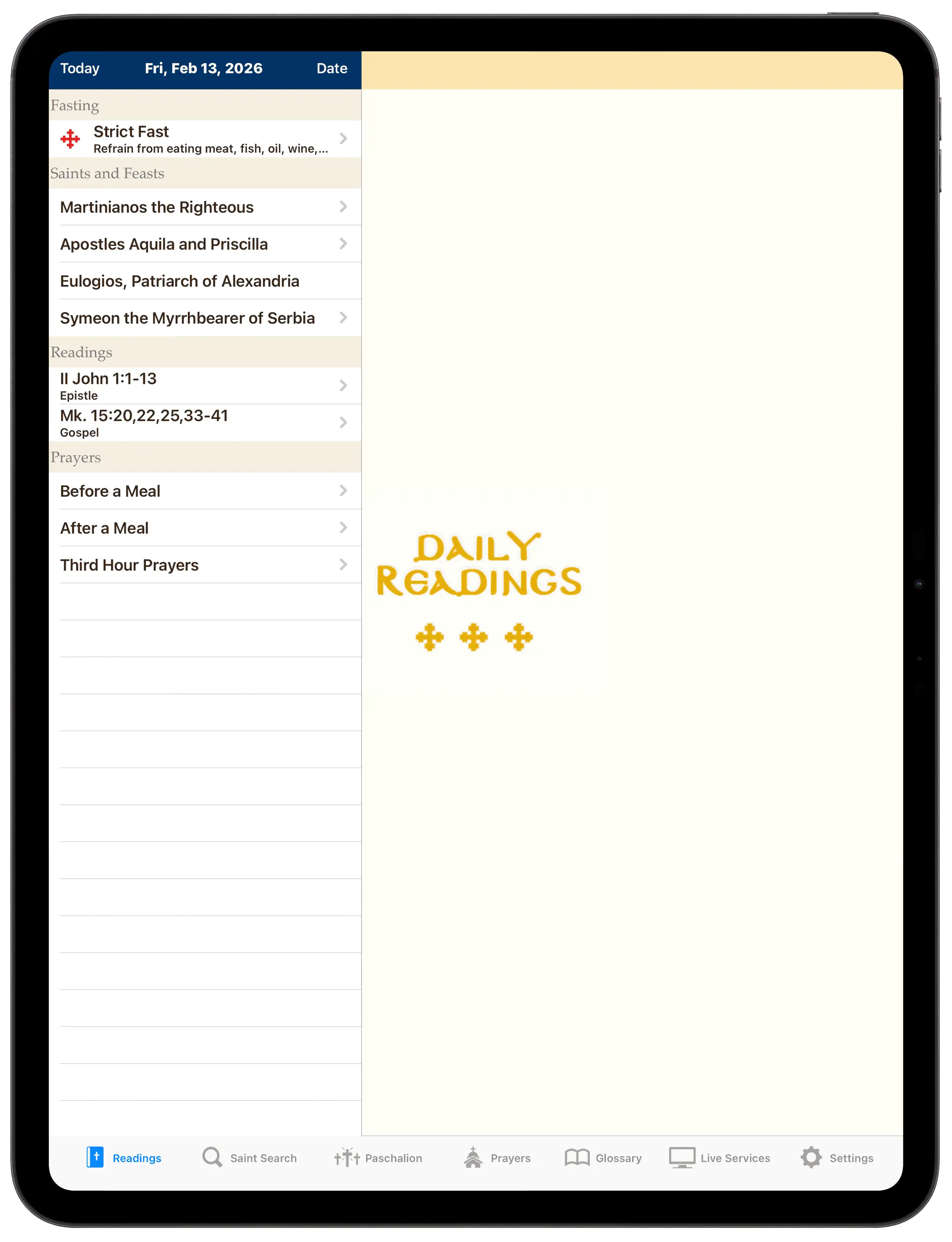
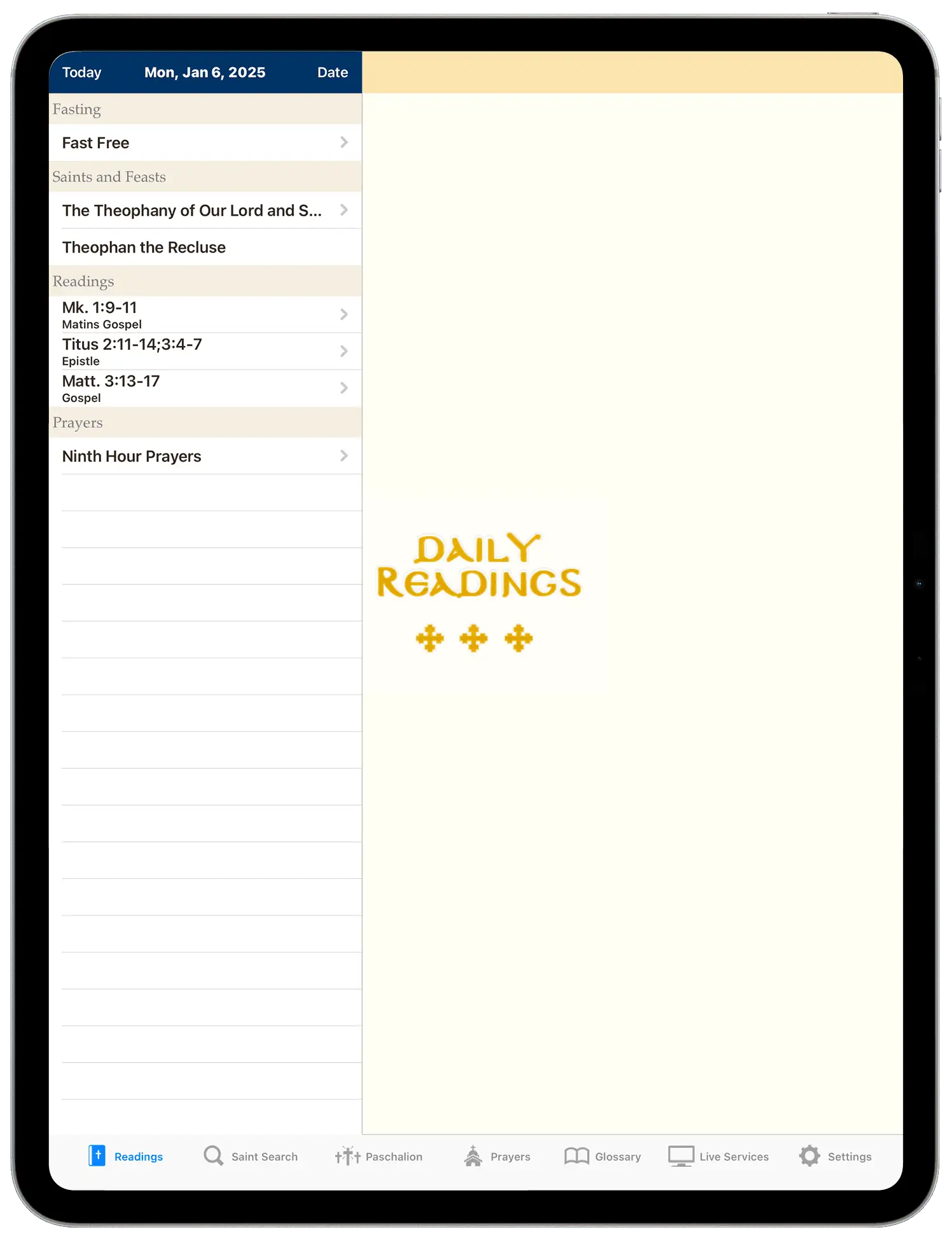
When opening the app on iPad, users often got stuck because they didn’t realise they had to tap the hamburger menu icon to bring up the sidebar for navigation.
USERS SAID THINGS LIKE:
“It’s not really giving me much on the homepage”
“It’s not really obvious to even click that”
“I don’t know if this is a mistake or...”
On iPhone, this problem didn't exist…the menu automatically appears on launch for the user to see.
2.Lack of clarityUsers struggle to understand content and features because labels, icons, and layouts are unclear and inconsistent.
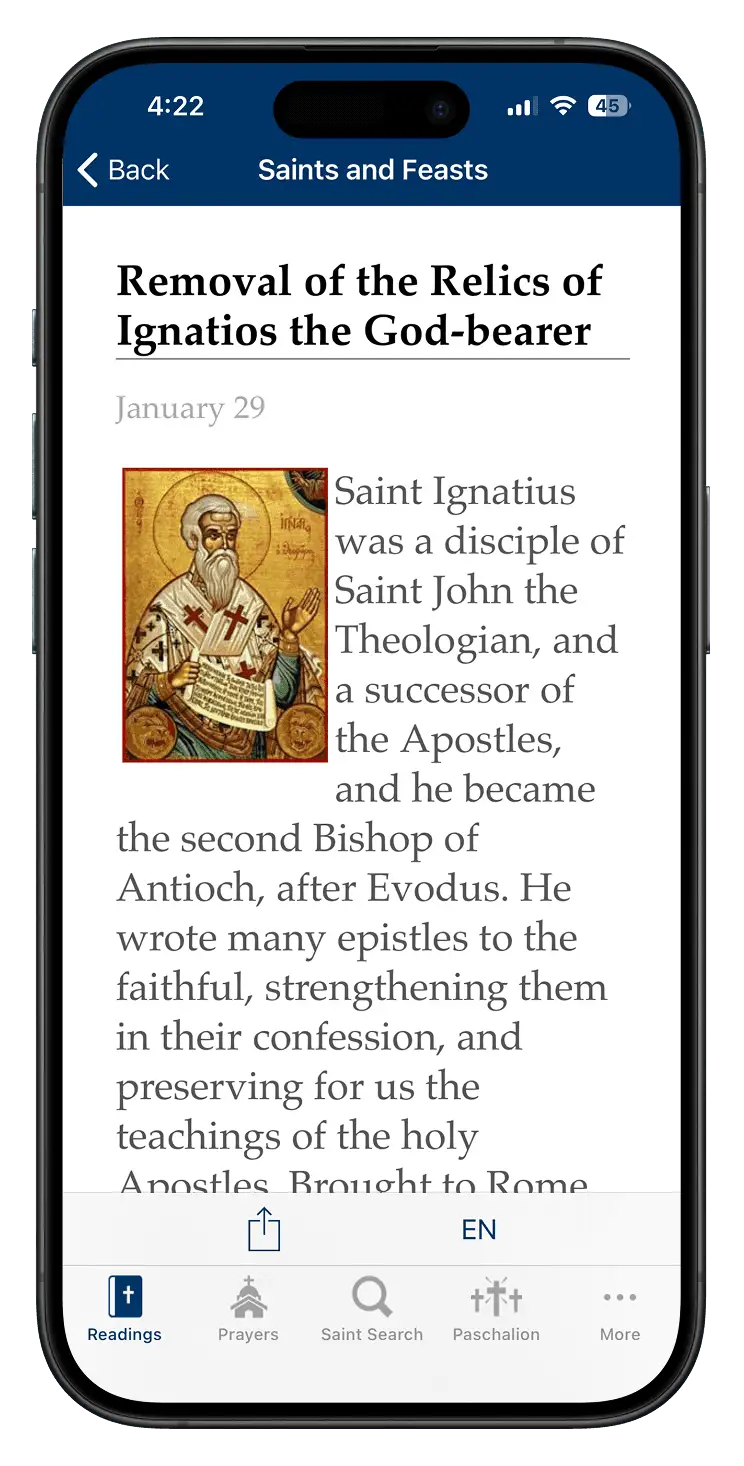
Saint and feast pages typically include an image of the saint or feast, along with a biography or description.
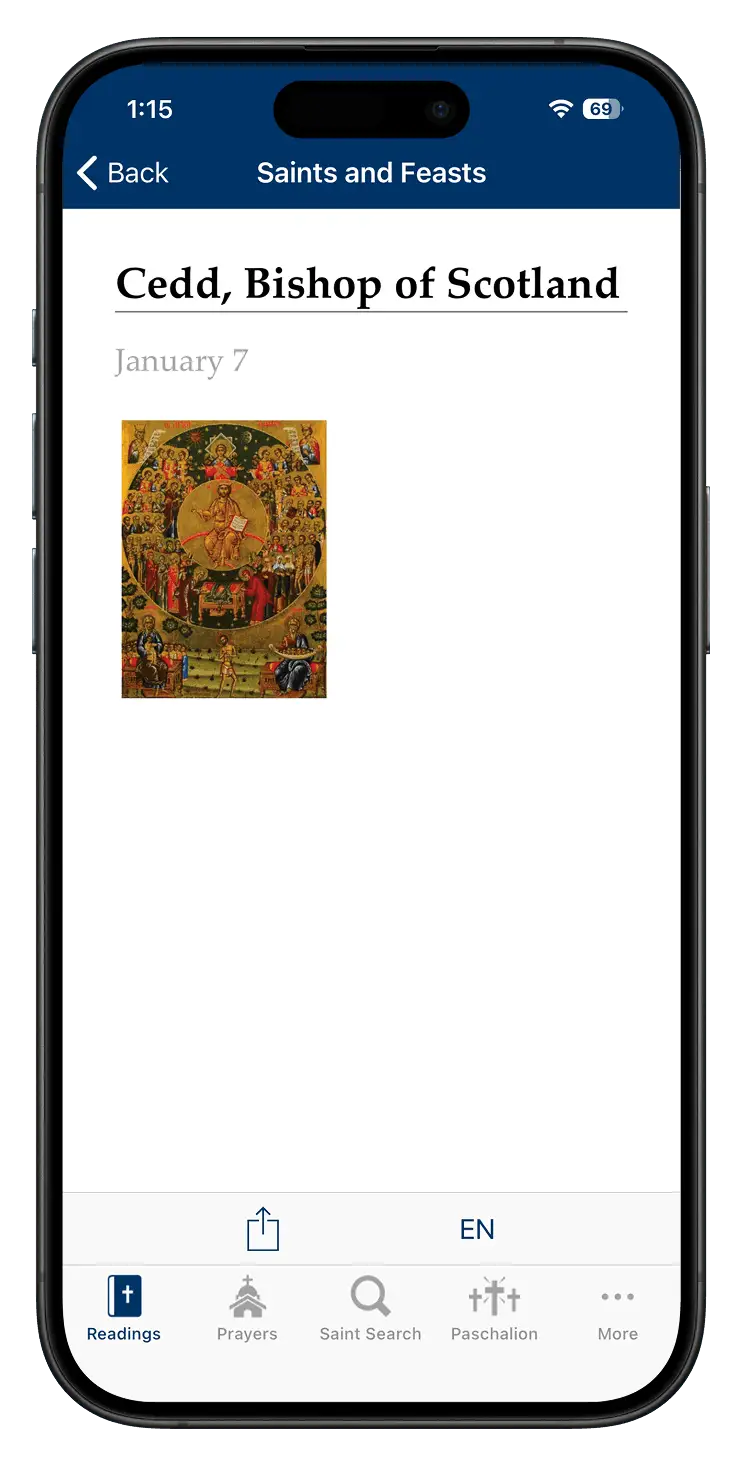
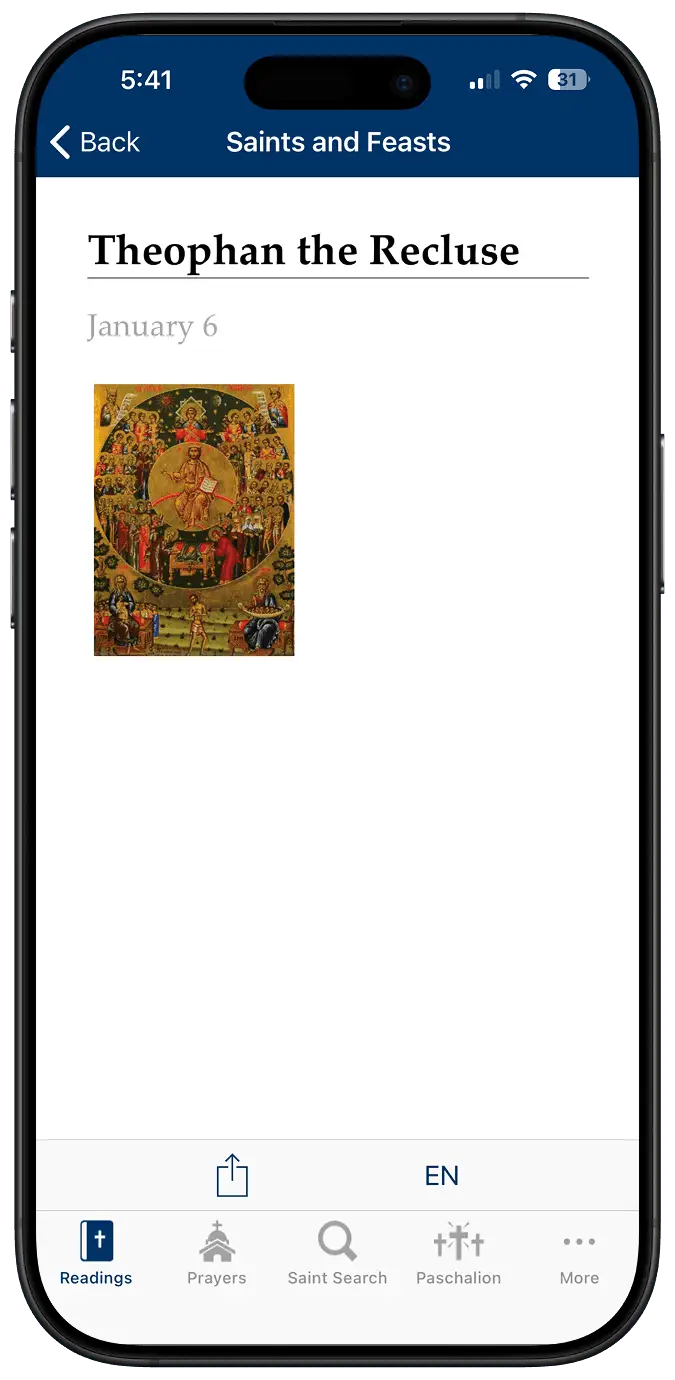
For saint & feast pages without an image or description, only a generic image appears with no text.
Users often thought the app was broken, which ultimately stifled trust.
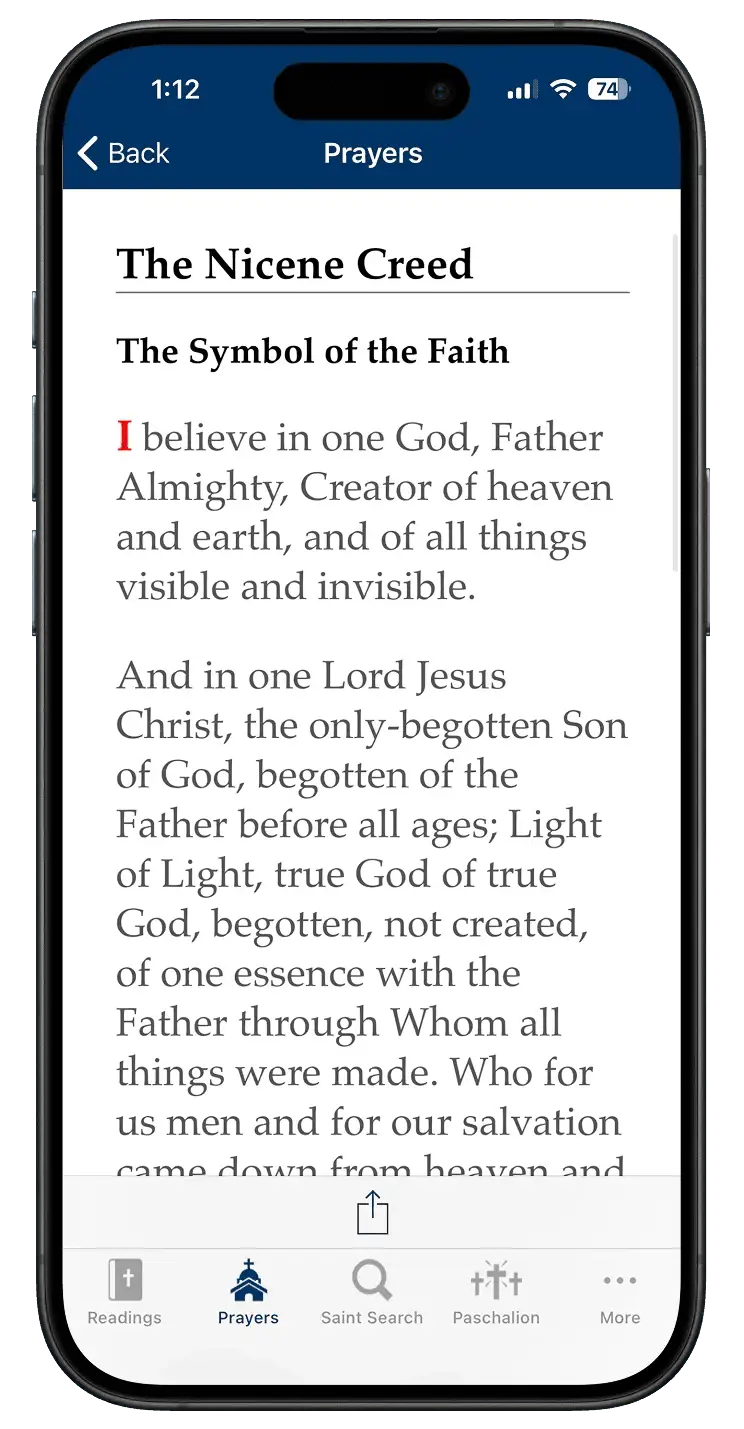
3.Poor accessibility & dated designThe app fails to follow modern accessibility standards with design choices such as poor text contrast and awkward visual spacing.
Body text is often awkwardly aligned against images with inconsistent spacing.
The text displaying the date isn’t easily legible against the white background.
Some other interesting points to note were:
Competition is strong
Both competitors offered stronger navigation, visual design, and cross‑platform consistency, but each had gaps. Hallow isn’t Orthodox‑specific and Athon buries key information behind bloated features and extra scrolling/clicks - highlighting clear opportunities for improving Daily Readings.
It has the right features
The top 3 most requested features in the survey - an Orthodox calendar, nameday & feast day information, and fasting guidance - were already present in Daily Readings. This supports the idea that dissatisfaction is not driven by feature gaps, but by a poor user experience.
Low app satisfaction
Survey responses (n = 73) showed that overall satisfaction with digital Orthodox apps was generally low, indicating that the current apps fail to meet user expectations.
IN SHORT
Daily Readings has the features users want, but things like confusing navigation, unclear content, and poor accessibility undermine them. There was a clear opportunity to pair these features with a simpler, modern, and accessible experience compared to what competitors provide.
Synthesis
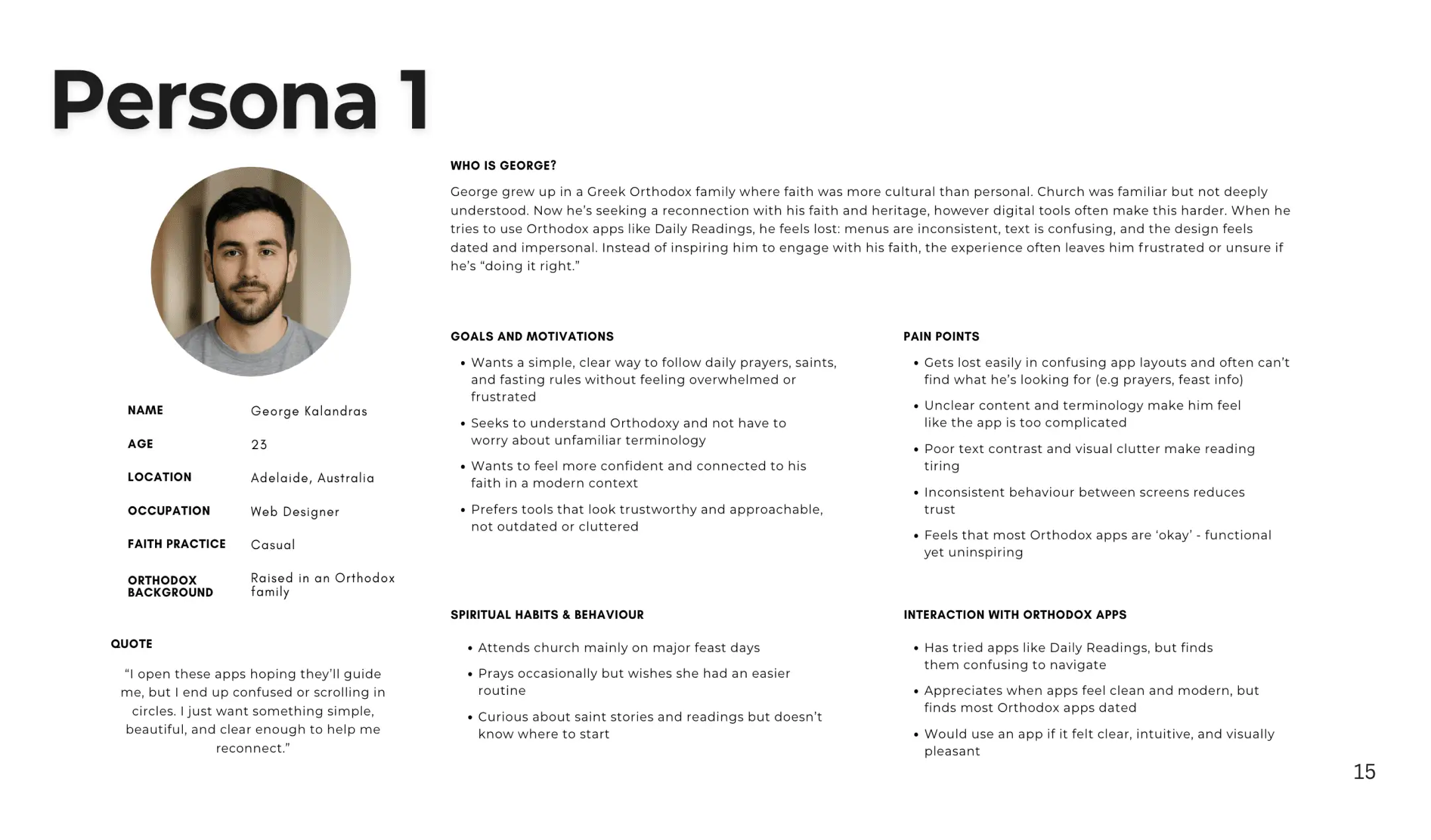
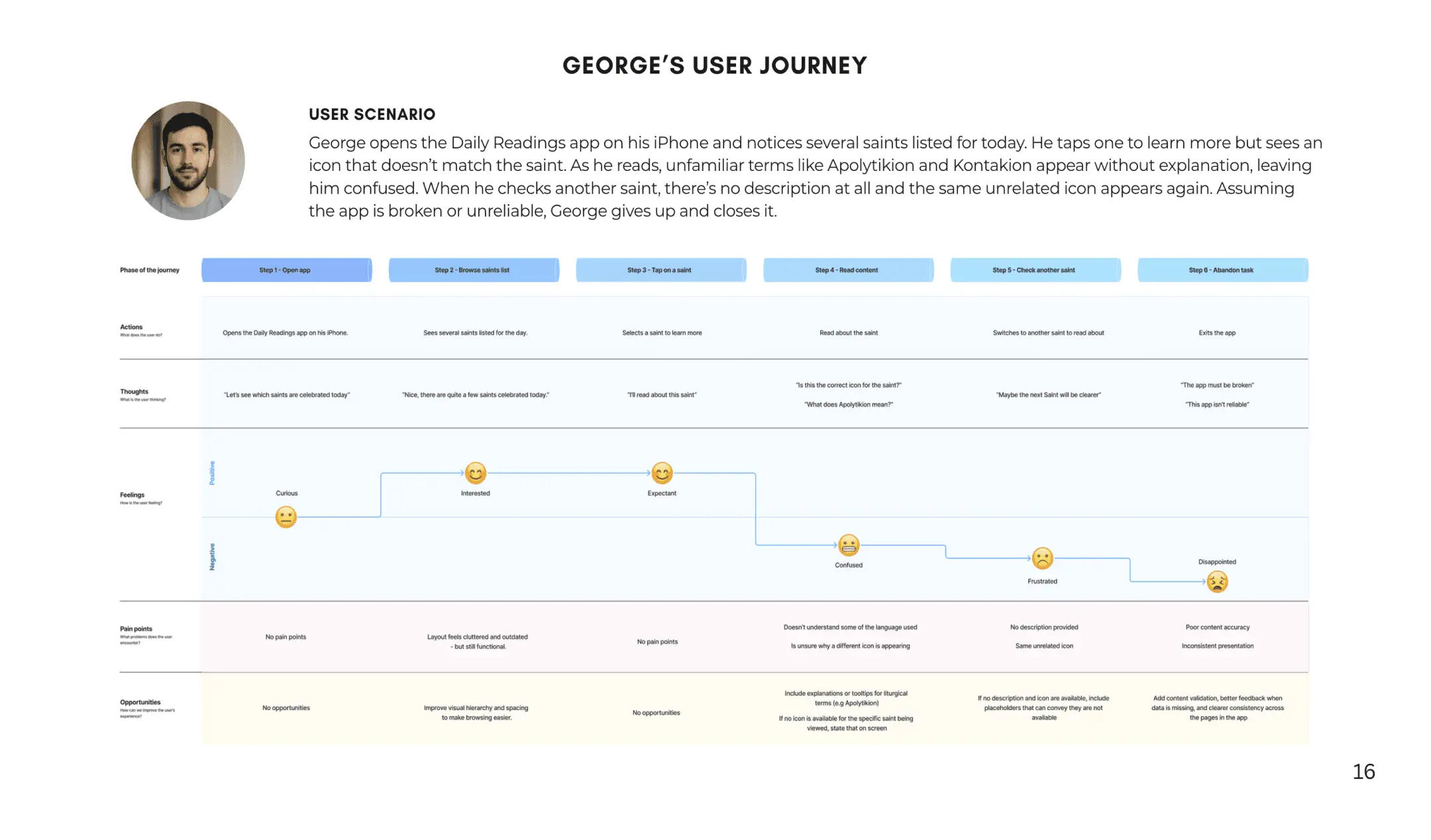
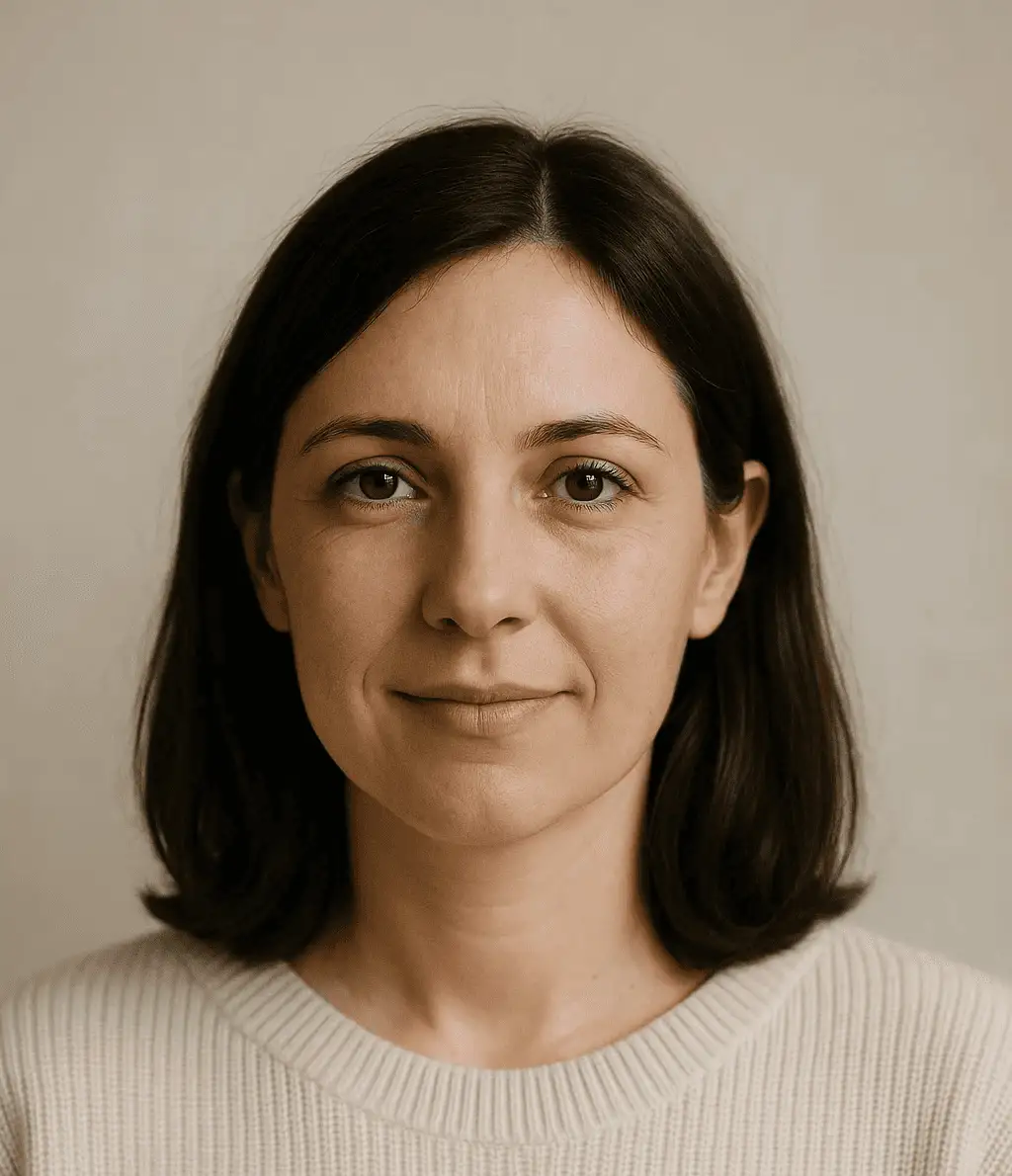
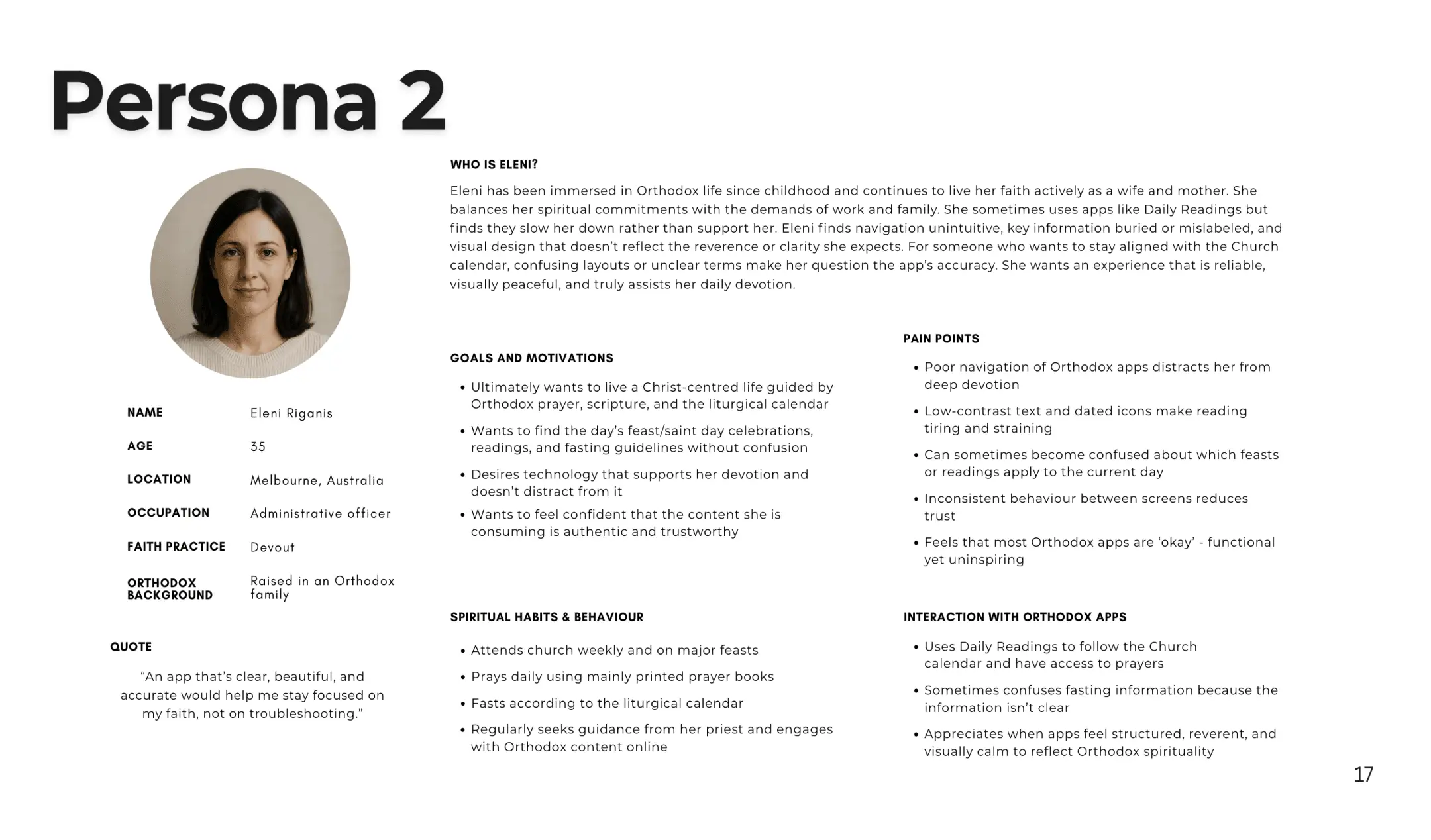
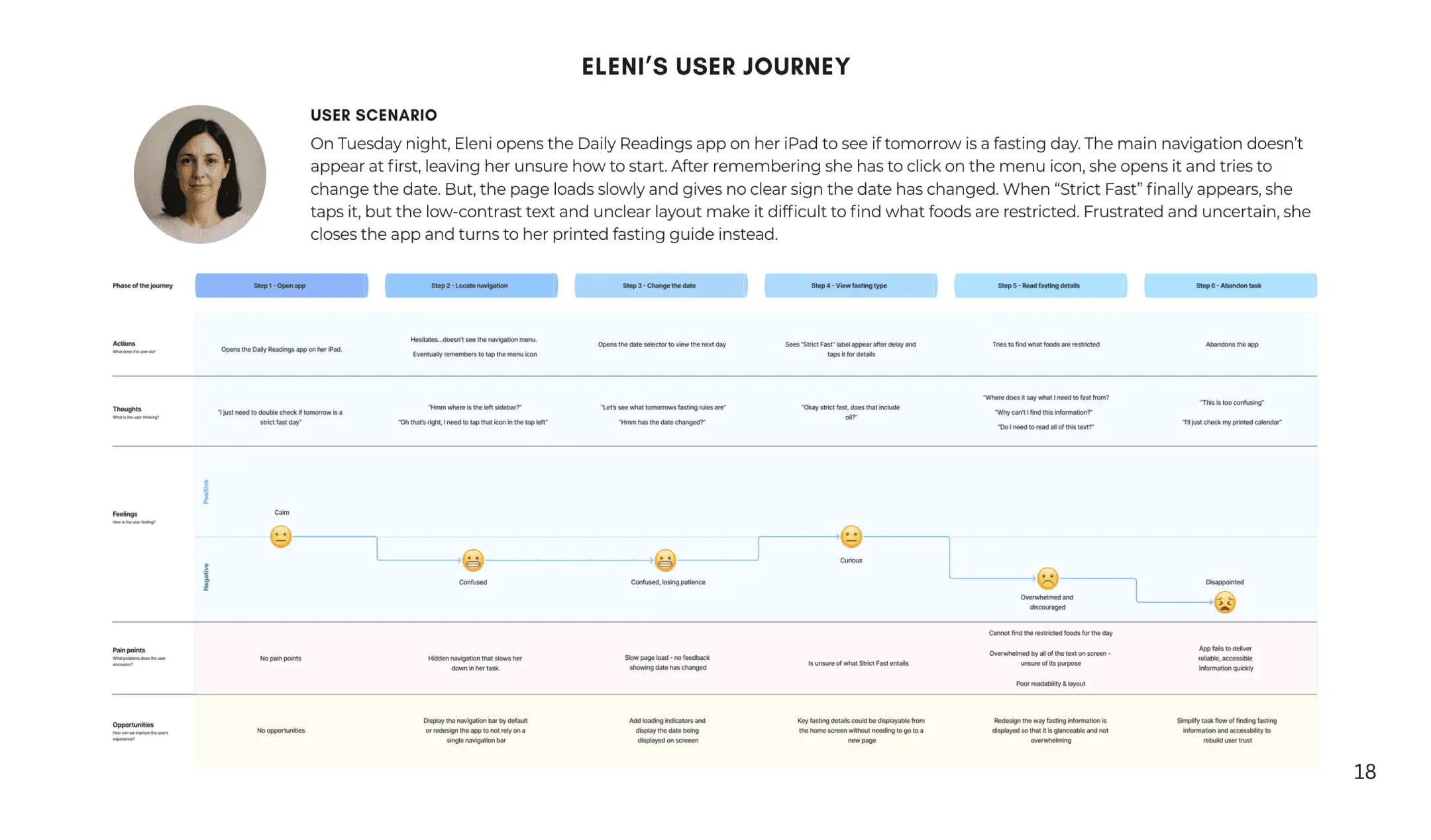
Rather than designing for a single 'average' user, I synthesised my findings into two contrasting personas and user journeys to better understand how the same UX issues affect trust, confidence, and efficiency for different people
Although George and Eleni differ in motivation and devoutness, their journeys reveal that UX issues in Daily Readings consistently undermine engagement. Together they reinforce the need to prioritise navigation, clarity, and design/accessibility across Daily Readings on iPhone and iPad.
Defining the scope
Even though I had identified multiple pain points across Eleni and George’s user journeys, the scope of the university assessment meant I needed to be deliberate about what I focused on.
So I took into account the time constraints, assessment requirements, and overall project scope, to prioritise the app's core features that represent the most important touch points:
Liturgical calendar
Prayers
Fasting information
The first prototype
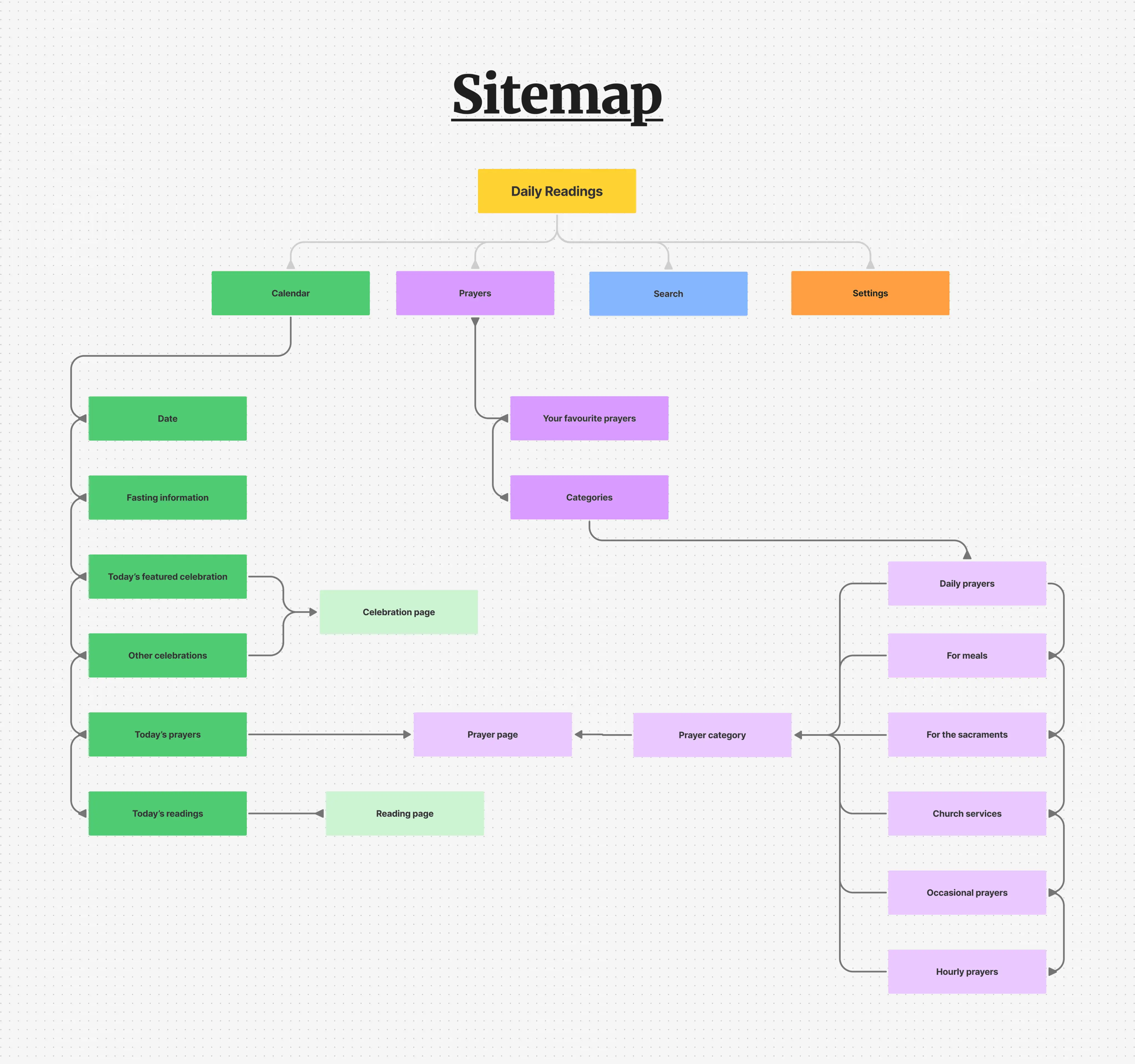
I first began by putting together a sitemap that clearly laid out the information architecture of the redesign - so that the redesign was grounded in clear IA rather than ad-hoc screen decisions.
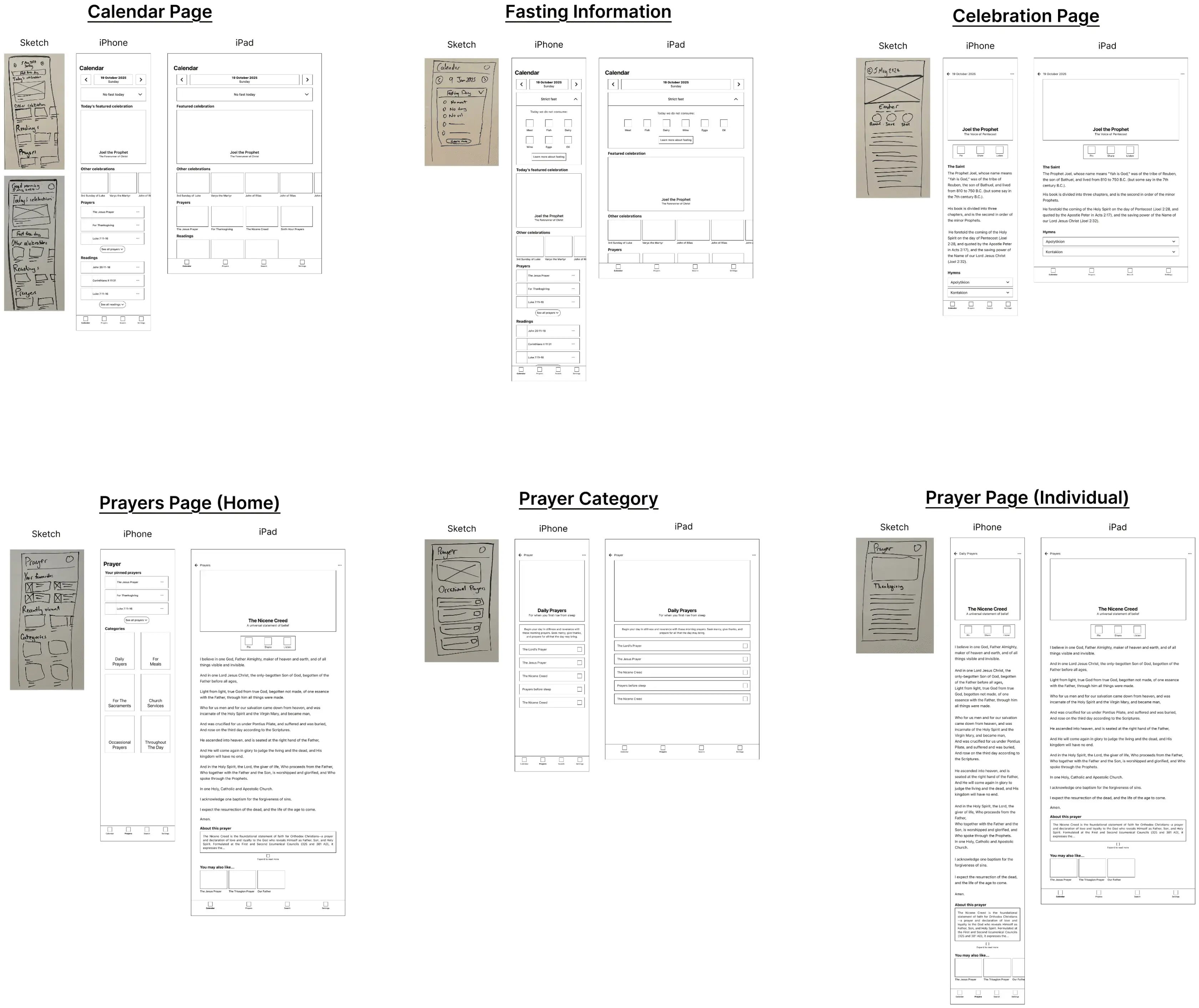
With the information architecture defined, it allowed me to begin exploring layout and content hierarchy through hand-drawn sketches, which I could then translate into low-fidelity wireframes in Figma. This way, I could easily experiment with the design, without committing to any specific layout, colour, and font choices. At this stage, I primarily focused on the Calendar and Prayers sections, as these represented the app’s core daily interactions and the areas where users experienced the most friction
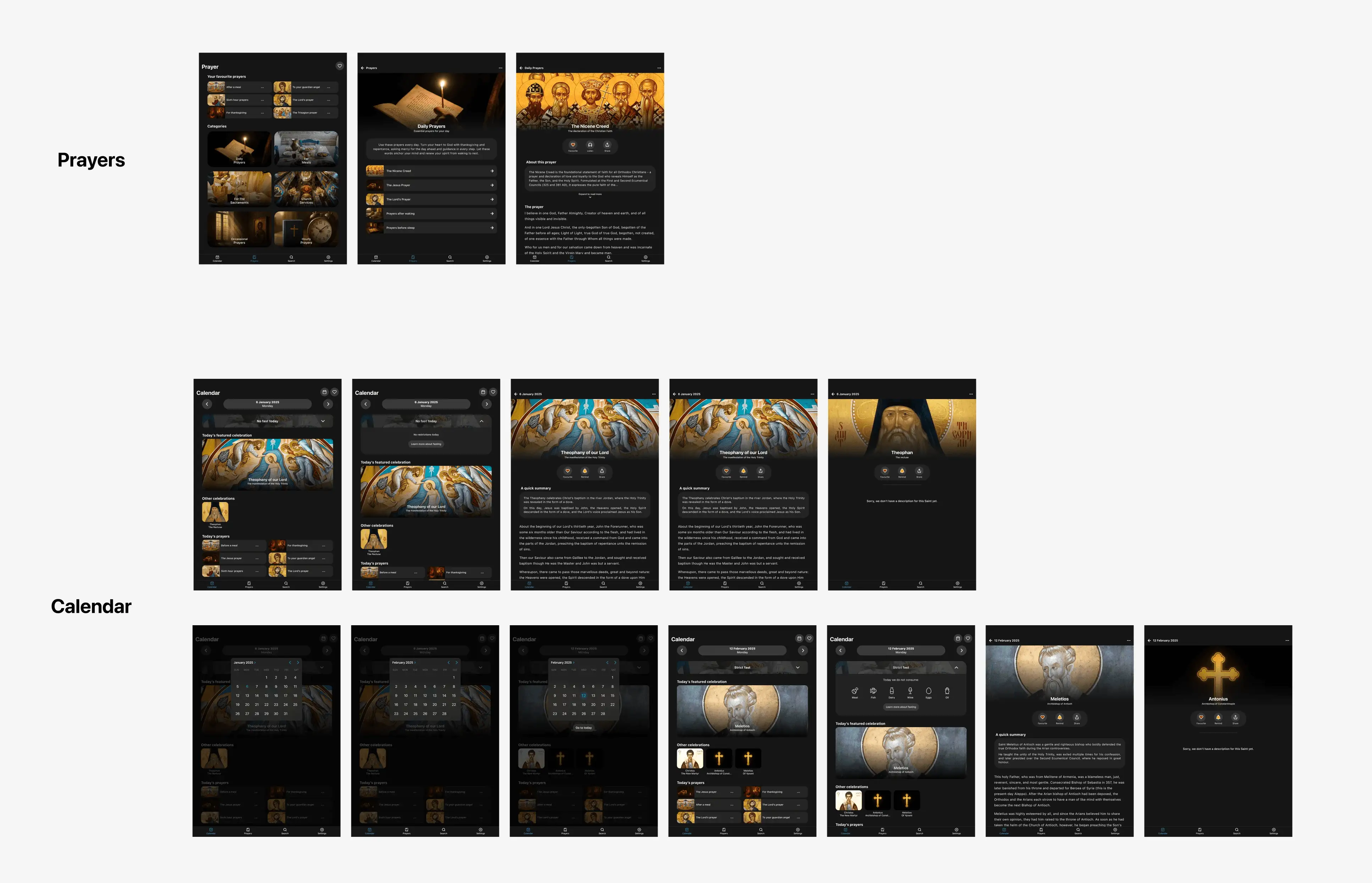
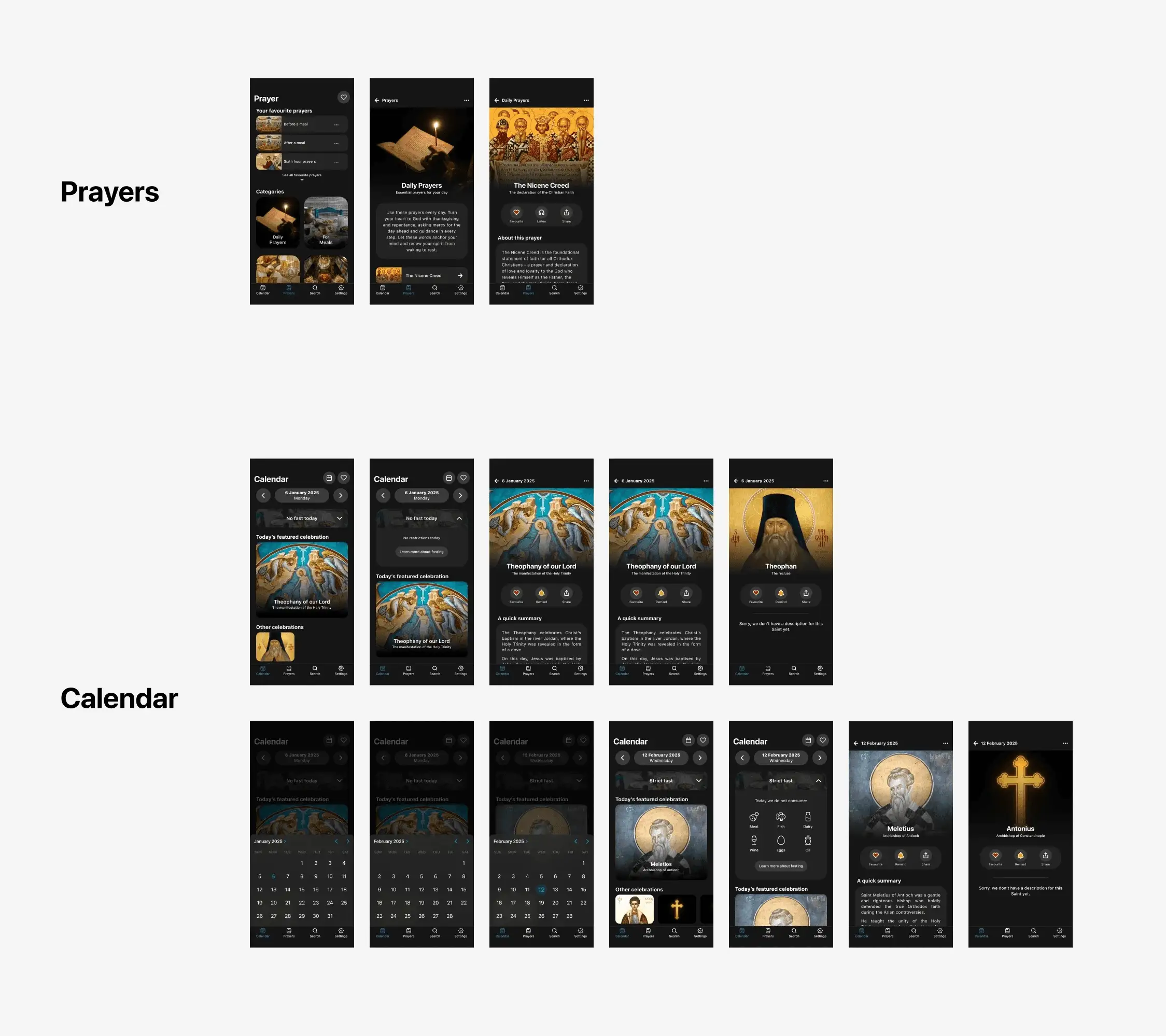
Once the layout was defined, I moved on to creating a high-fidelity prototype and refined the app's visual tone and interaction details. This introduced colour, rounded components, and subtle visual treatments to help support a calmer and more readable experience.
Take a look below for some examples of how I fixed navigation, clarity, and accessibility:
How did I solve for poor navigation?
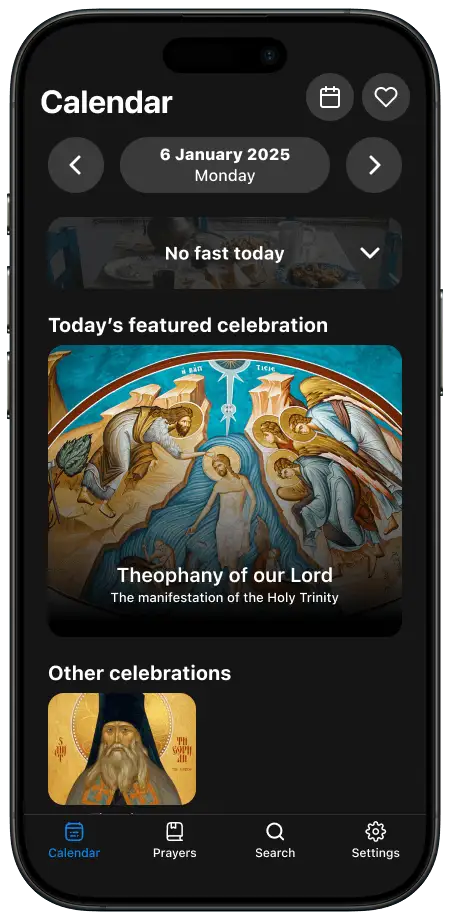
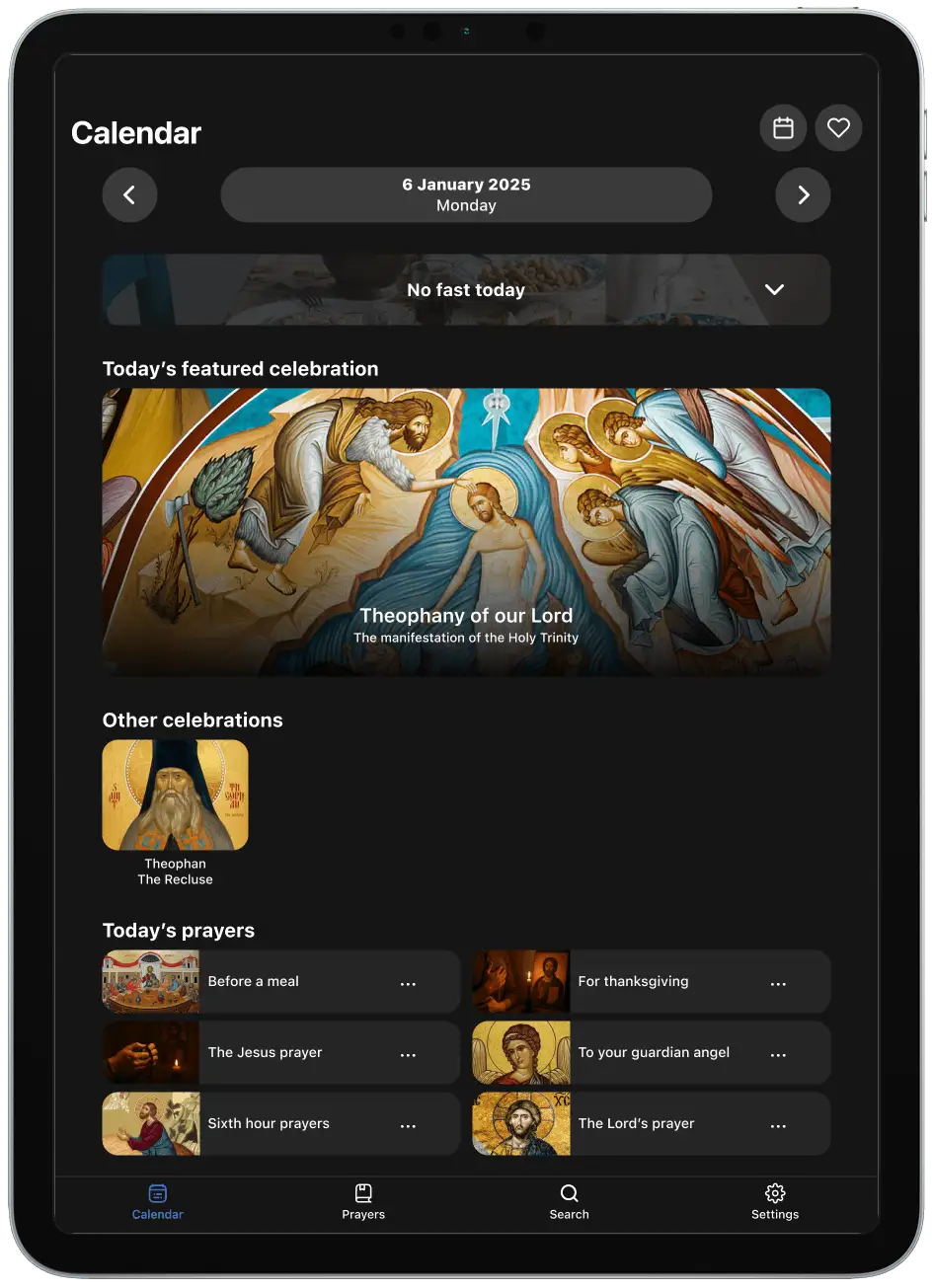
A clear example of an improvement in navigation is the removal of the pop-out sidebar that caused confusion for users. With this redesign, there is no difference between navigation on iPhone and iPad. When opening the app, the 'Calendar' acts as the homepage.
The original homepageThe redesigned homepage
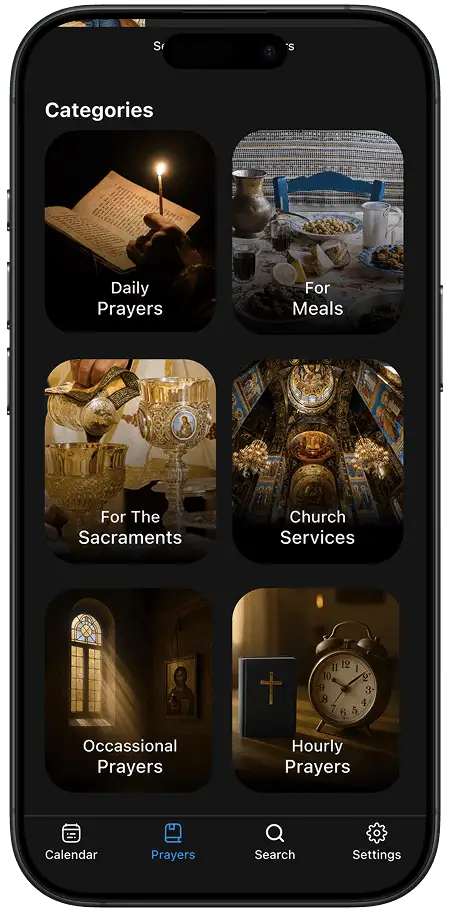
From here, the user can use the bottom navigation bar to swap between the Calendar, Prayers, Search, and Settings - making general navigation much simpler.
How did I restore clarity?
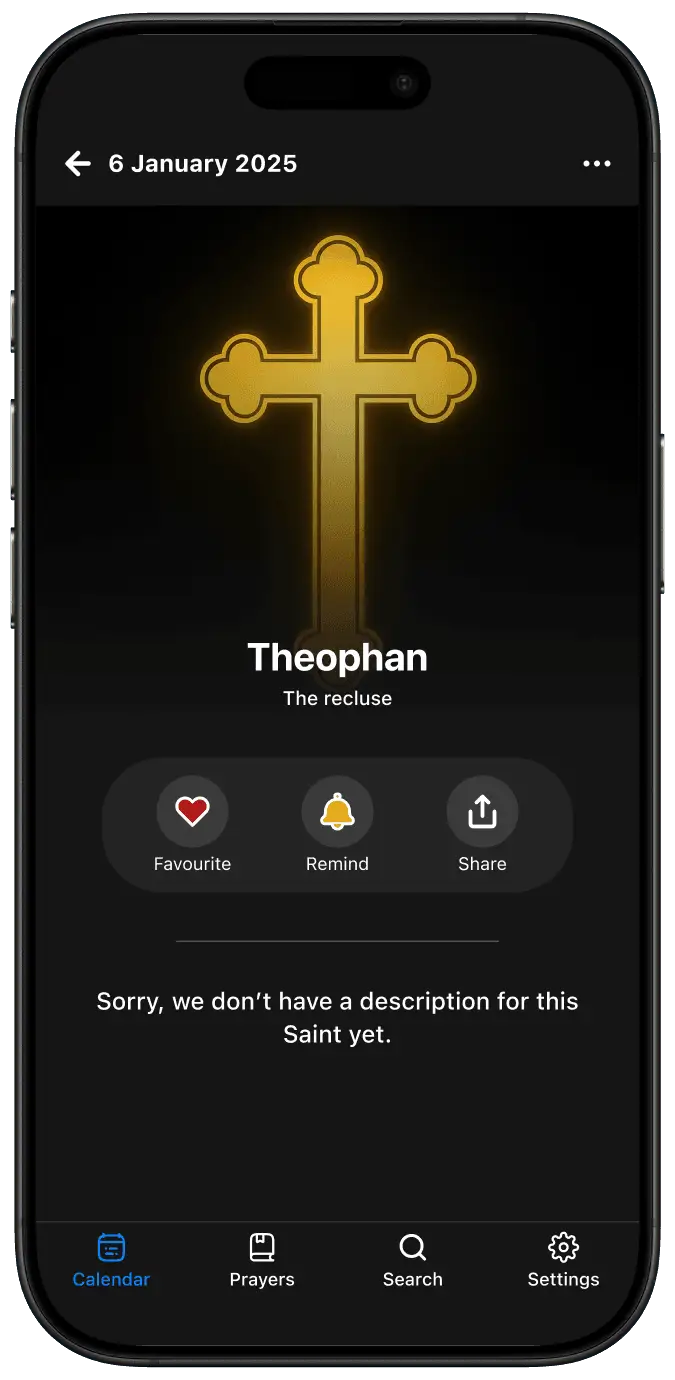
To restore clarity, I implemented a generic page that appears if a saint/celebration description isn't available. A generic image was also added to better convey that the information wasn't available.
The original page with no relevant image or explanation for the missing contentThe redesigned page with a generic image and an explanation
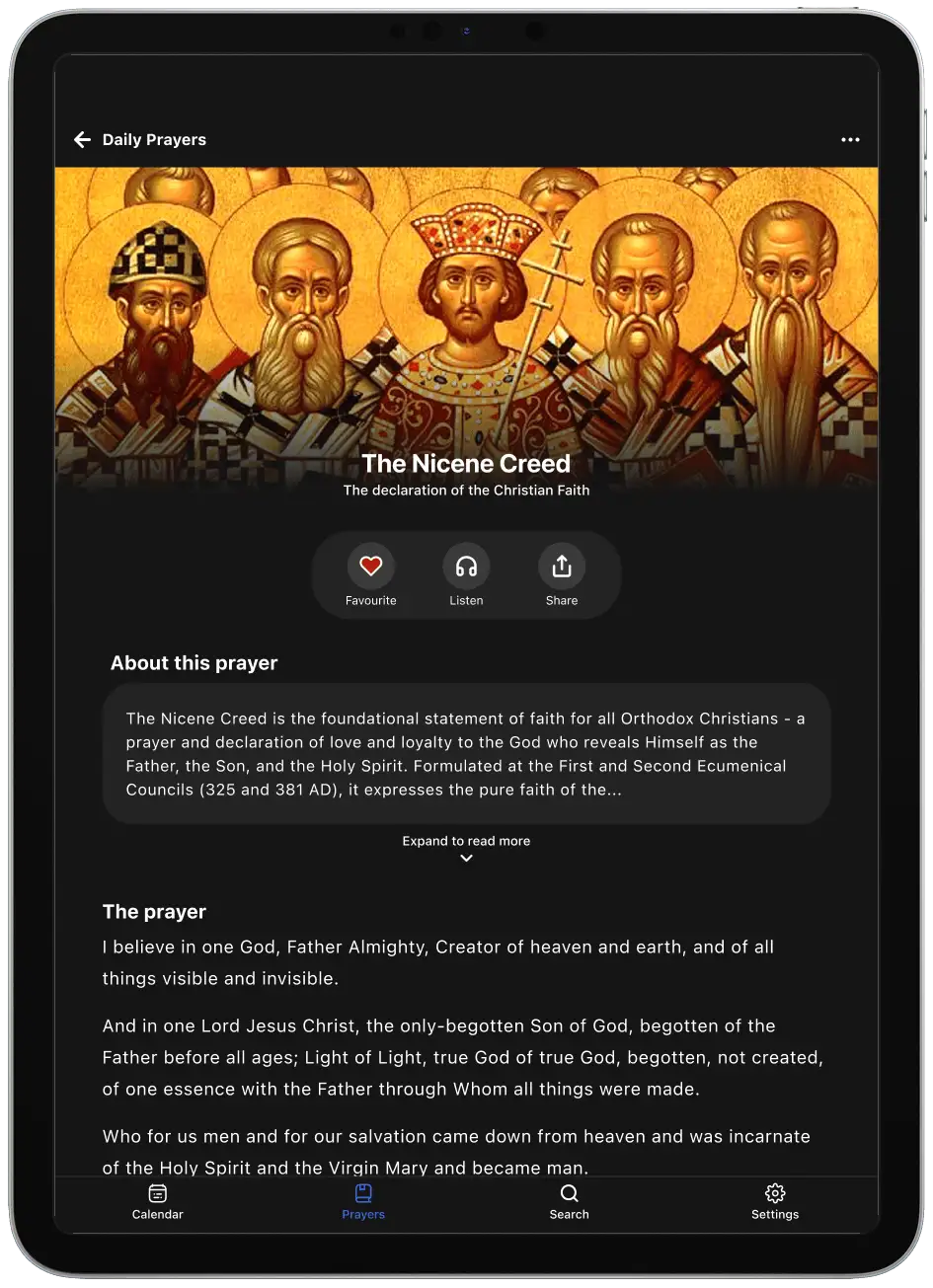
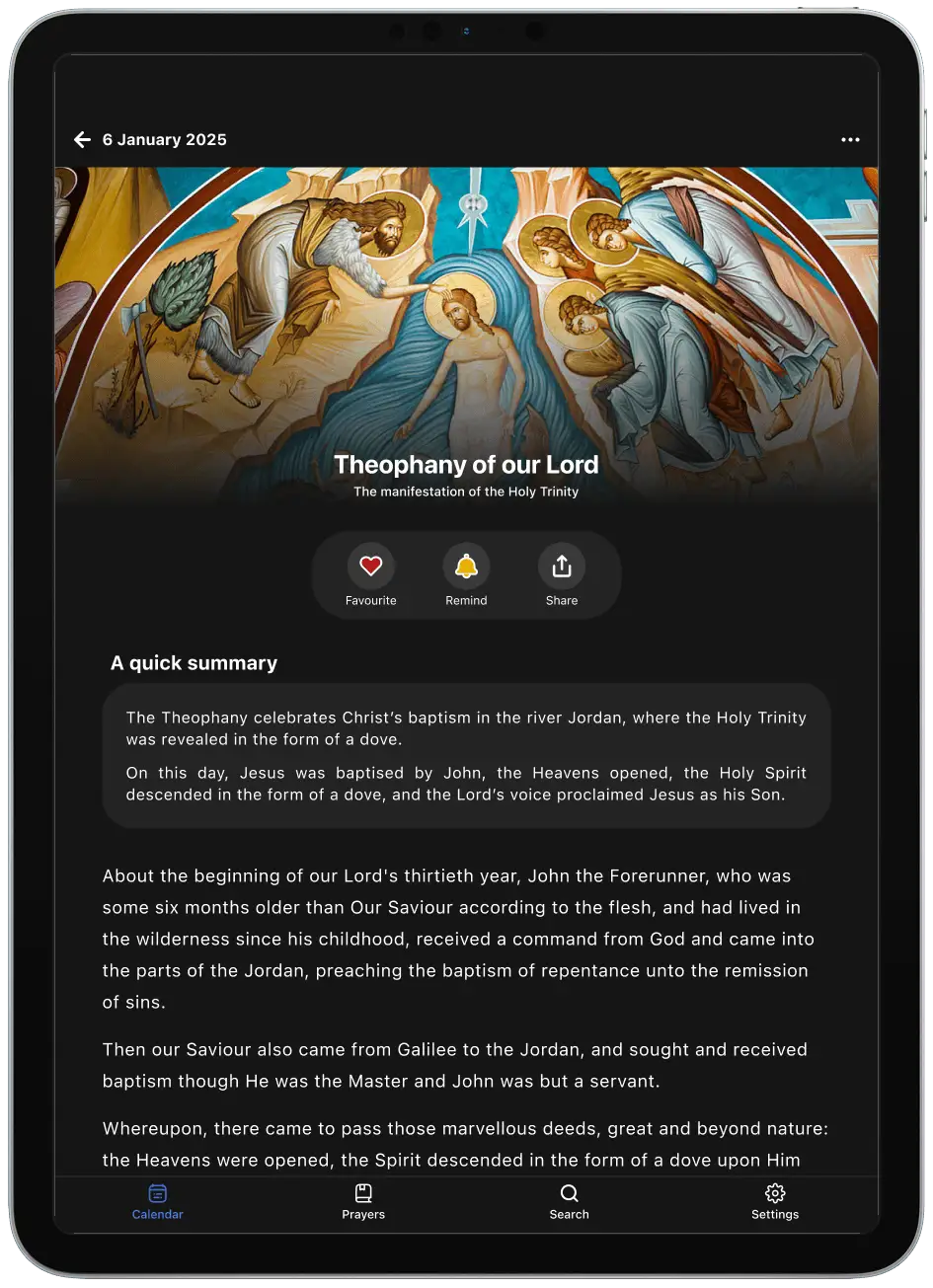
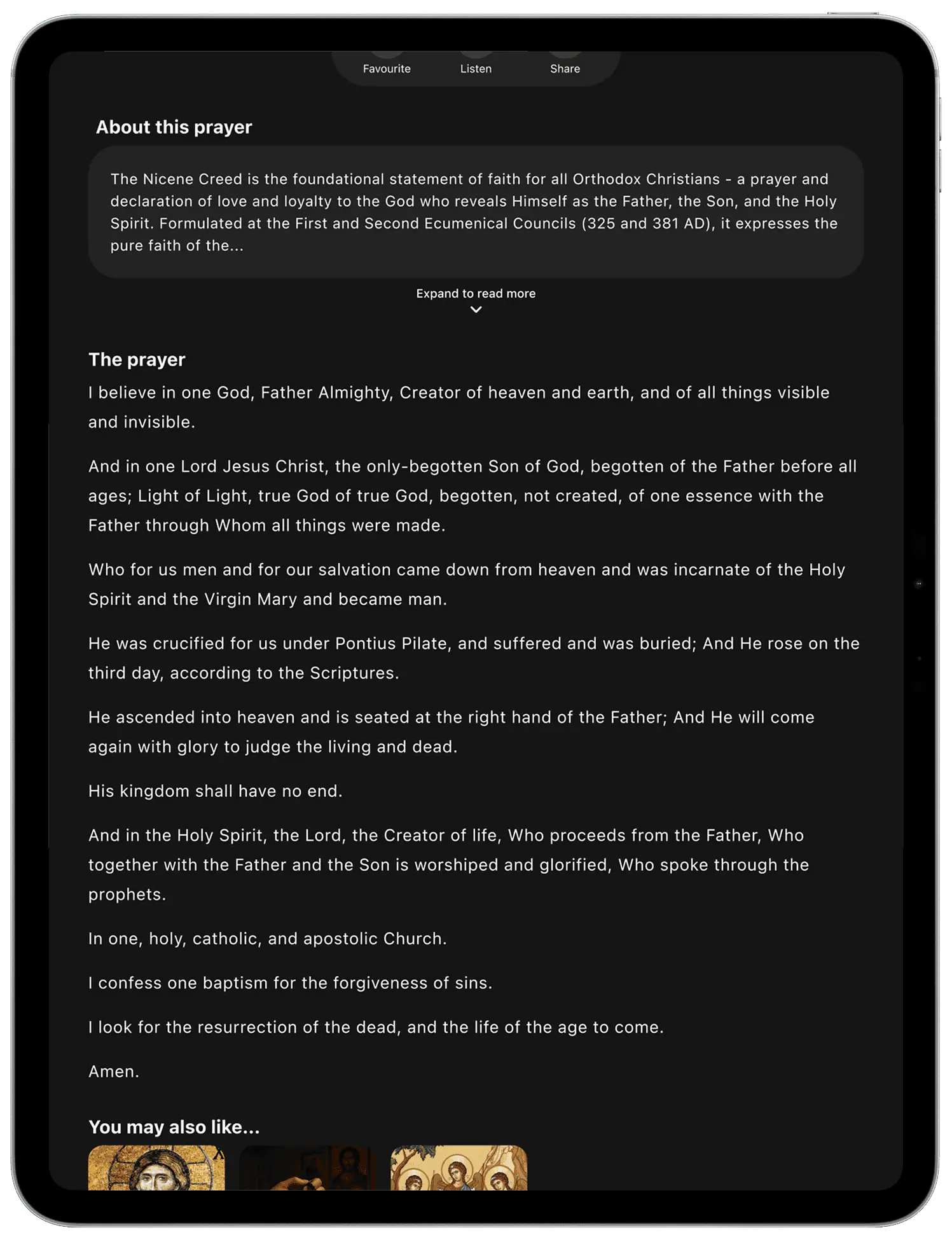
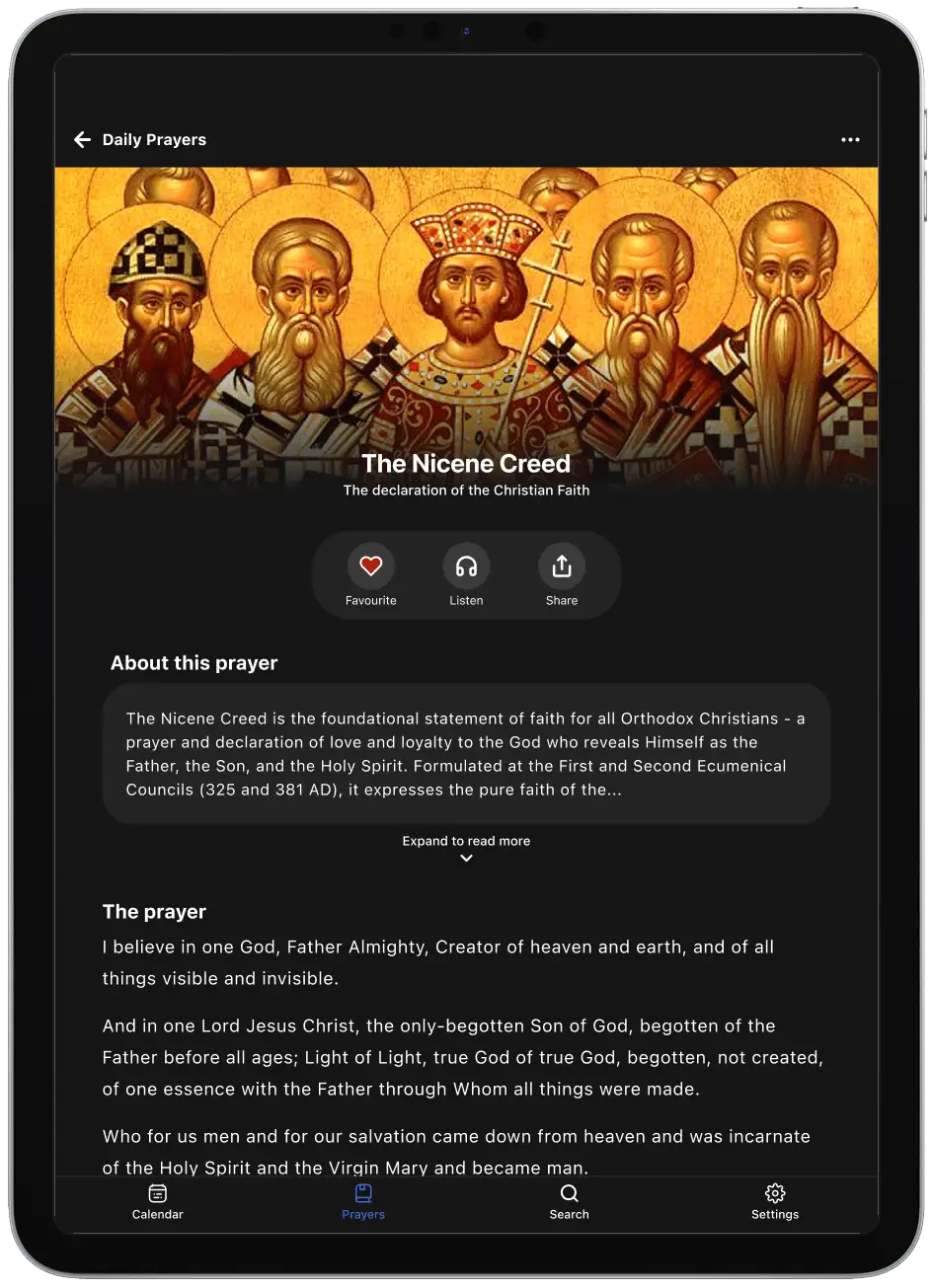
Another example is the inclusion of summaries and explanations. These provide casual users (like George) with easy to understand information whilst still allowing more devout users (like Eleni) to consume deeper content.
Prayers feature an 'About this prayer' sectionCelebrations feature 'A quick summary' section
How did I improve accessibility and design?
To improve accessibility, I ensured all text met WCAG contrast standards. Where text appears over imagery, a gradient overlay was introduced to preserve consistent legibility.
A text heavy prayerImages with text against a gradient
In addition, the redesign intentionally centres on a refined dark theme to maintain visual consistency and reinforce a focused, yet contemplative experience. Consequently, the darker theme also allows iconography to take visual priority.
Testing
With a high-fidelity prototype ready to go, I conducted usability testing to evaluate whether my designs supported key tasks such as finding daily readings, accessing prayers, and understanding fasting information.
Here's an overview of the testing I conducted:
Testing method
Moderated in person testing
Figma prototype
Devices
iPhone and iPad
Participants
3 Greek Orthodox Christians
1 devout user, 2 casual users
Tasks completed
Find the celebrations of the day.
Find the fasting requirements of the day.
Find a specific church service.
Find a specific prayer.
Find which readings are available for the day.
Find the celebrations and fasting requirements for a specific date.
And here’s what I found:
What was working well
Usability testing showed that participants were able to complete all core tasks without encountering the navigation, clarity, and layout issues observed in the original app.
The absence of these issues during testing made me confident that I had effectively addressed the key problems relating to navigation, content clarity, and overall accessibility across iPhone and iPad.
Opportunities for improvement
Usability testing revealed 2 key opportunities to improve efficiency and clarity in the redesign
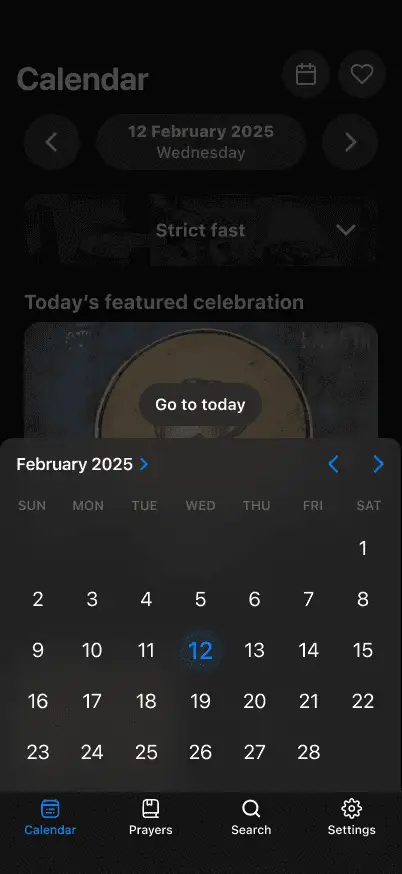
Participants frequently relied on Search for known-item tasks, highlighting its importance as a primary interaction pathway. Additionally, returning to the current date after exploring the calendar required unnecessary steps.
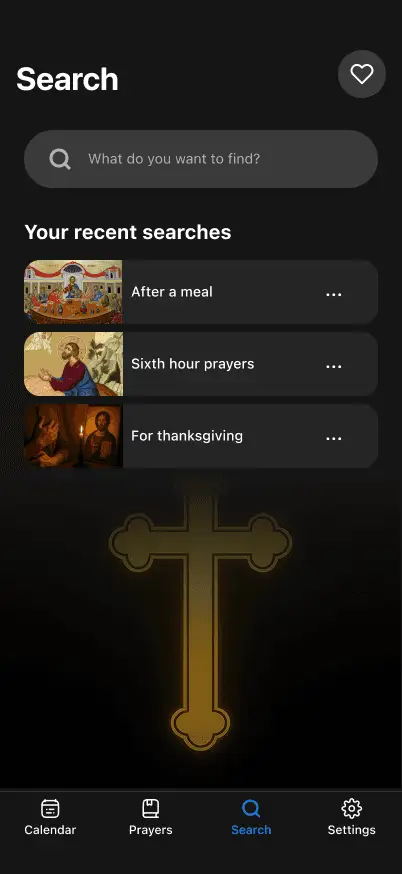
These insights informed the addition of a dedicated Search experience and a “Go to Today” action, both of which streamlined navigation and improved the overall flow of the app.
The ‘Go to today’ button
The dedicated search page
IN SHORT
With the new navigation, clarity, and design validated through testing, I finalised the Daily Readings experience.
Daily Readings
Redesigned
For iPhone and iPad
Easily view today's celebrations from the Calendar
I really enjoyed putting this project together. Being a university assessment, I received a HD (88.5%) with positive feedback from my course coordinator.
What did I learn?
The importance of prioritisation
This really stood out to me during this project. While the original Daily Readings app offered many valuable features, I needed to be realistic about what I could address within the assessment’s constraints.
By narrowing the scope to core user features (Calendar, Fasting Information, and Prayers) I was able to create a cohesive experience without unnecessary complexity.
Practicing my research skills
This was also a great opportunity to practice my research skills across user interviews, data analysis, and the synthesis of findings.
I also experimented with tools like Dovetail and ChatGPT to help cluster insights and identify themes. These were great to help me work more efficiently and identify patterns that I may have otherwise missed - I'm definitely keen to experiment more with them in the future!
What would I do differently?
Device form factor optimisation
I would explore the different form factors of the app and how they could be better optimised.
For example, the redesigned iPad and iPhone versions are very similar - great for consistency across devices, but it may be wasting the opportunity to design for their specific use contexts.
I would conduct a bit more research into how the experience on iPhone and iPad (and potentially other form factors too) could be improved.
Refine button states & micro‑interactions
Another area I would refine is the micro‑interaction layer, including button states and icon behaviour.
While the prototype demonstrates accurate screen‑to‑screen transitions, many tap targets currently lack pressed or animated states, which is a missed opportunity to improve feedback and perceived responsiveness.
Adding these would help the app feel more 'alive' and add an extra layer of polish which may elevate the user experience.
To conclude, this project challenged me to balance ideas with constraint, reinforcing the importance of prioritisation and evidence-based decision making. It also strengthened my confidence in navigating the full UX process.
Working on this project really excited me, and its something that I'm looking to continue working on over time…to potentially develop into a live app! Watch this space 👨💻